Build a Book App with Xcode Tutorial 7 - Flying a Ship
399 views · Published 14 March 2016 · 22:35 · Indexed 6 November 2026
Channel: cartoonsmart · 2016 · Education
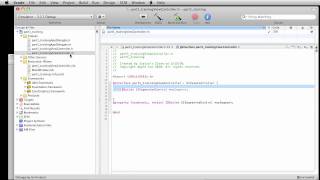
Video 7 in our tutorial series on using the Story Tellers Kit 2 to build a story book style app with Xcode.
cartoonsmart.com/story-tellers-ios-starter-kit/
This video discusses how to add physics boundaries to characters and other objects then "fly" them around the Scene by apply impulses in Left, Right, Up and Down directions. We'll setup invisible directional buttons, create boundaries around the entire scene, and also create a swirling vortex for the ship to fly in and out of.
The video does assume you've bought the Story Tellers Kit 2, or you are a Yearly CartoonSmart subscriber so you have access to download the kit. The kit enables you to create a highly interactive story book app for the iPhone, iPad or new Apple TV, with absolutely no coding. Although you do have access to the Xcode project programmed with Swift and Sprite Kit, no programming is needed.
More from this channel
-
 8:06
Flash drawing basics part 2
-
 7:29
CartoonSmart Actionscript 3 Basics Tutorial Part 3 of 8
-
 10:00
CartoonSmart Actionscript 3 Basics Tutorial Part 5 of 8
-
 10:00
CartoonSmart Actionscript 3 Basics Tutorial Part 6 of 8
-
 10:01
iPhone/iPad Basics Tutorial Part 03 of 12
-
 10:01
iPhone/iPad Basics Tutorial Part 06 of 12
-
 8:08
iPhone/iPad Basics Tutorial Part 12 of 12
-
 13:27
Animated Landscapes 4 - Adobe Flash Animation Tutorial