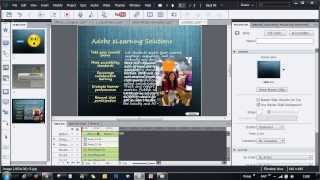
Hiding the Playbar in Adobe Presenter 8 Courses
1,315 views · Published 12 February 2013 · 3:23 · Indexed 29 September 2026
Channel: Adobe Digital Learning · 2013 · Education
Learn how to hide the playbar in your branched courses created with Adobe Presenter 8.
More from this channel
-
 1:40
Sneak Peek - Adding Assessment to Your Courses with Adobe Captivate 5
1:40
Sneak Peek - Adding Assessment to Your Courses with Adobe Captivate 5
-
 2:01
Sneak Peak - Preferences and Publish Settings in Adobe Captivate 5
2:01
Sneak Peak - Preferences and Publish Settings in Adobe Captivate 5
-
 7:37
Adobe Presenter 8.0.1: Video Creator Enhancements
7:37
Adobe Presenter 8.0.1: Video Creator Enhancements
-
 6:26
Captivate Collaboration Service using Twitter - Part 3
6:26
Captivate Collaboration Service using Twitter - Part 3
-
 2:03
Scenario-based interactions in Adobe Presenter 9
2:03
Scenario-based interactions in Adobe Presenter 9
-
 4:00
Creating Custom Themes for Adobe Captivate 7: Part 3
4:00
Creating Custom Themes for Adobe Captivate 7: Part 3
-
 6:53
Creating Custom Themes for Adobe Captivate 7: Part 4
6:53
Creating Custom Themes for Adobe Captivate 7: Part 4
-
 4:16
Adobe Captivate 7.0.1: Copy Actions across Projects
4:16
Adobe Captivate 7.0.1: Copy Actions across Projects