How to Post Cinemagraphs on Instagram Stories
4,225 views · Published 21 July 2017 · 1:50 · Indexed 4 October 2026
Channel: FlixelPhotos · 2017 · Film & Animation
Cinemagraphs allow you to capture a moment and make it live infinitely. Use cinemagraphs to share those moments, your way, on Instagram Stories.  These living photos will mesmerize your followers and make your world stand out. Learn how to post cinemagraphs on Instagram Stories in a few simple steps.

Download your free trial of Cinemagraph Pro - http://bit.ly/2rlr15r

How to Post Cinemagraphs on Instagram Stories

Create a cinemagraph in Cinemagraph Pro for iOS
Vertical cinemagraphs are best-suited for Instagram Stories. Crop your cinemagraph to a 9:16 ratio so that it fits perfectly.
Export your cinemagraph. Select the number of repetitions. Make sure the file length is under 15 seconds, which is the time limit for any video posted on Instragram Stories.
Tape Save, then select Photo Library to save your cinemagraph to the camera roll.
Open Instagram. Swipe right or tap the camera icon in the top left corner to access the Stories camera
Swipe up to reveal your camera roll. Select the cinemagraph you exported.
Add a few personal touches to your cinemagraph by using text, emojis, hashtags, or mentions. You can even add a location tag so that your cinemagraph is seen by a wider audience.
When you’re ready to add your cinemagraph to your Instagram Stories, tap “Your Story”.

Creating and sharing mesmerizing cinemagraphs on your iPhone or iPad that captures attention on your Instagram Stories is just that easy. So, what story will you share?

Learn how to post cinemagraphs on other social media platforms

How to Post Cinemagraphs on Snapchat:
http://bit.ly/CinemagraphsOnSnapchat

How to Post Cinemagraphs on Facebook:
http://bit.ly/CinemagraphsonFacebook

How to Post Cinemagraphs on Instagram:
http://bit.ly/CinemagraphsonInstagram

How to Post Cinemagraphs on Twitter:
http://bit.ly/CinemagraphsOnTwitter

-----------------------------------------------------------------------------------------------------------------
Follow Flixel on:

Facebook: https://www.facebook.com/flixelphotos
Instagram: https://www.instagram.com/flixelphotos
Twitter: https://www.twitter.com/Flixel
Snapchat: https://www.snapchat.com/add/flixelphotos
More from this channel
-
 0:31
How to Embed Flixel Cinemagraphs into a Blog or Website
0:31
How to Embed Flixel Cinemagraphs into a Blog or Website
-
 0:34
Flixel Artist Spotlight: Sherif Mokbel
0:34
Flixel Artist Spotlight: Sherif Mokbel
-
 0:34
Flixel Artist Spotlight: Kitchen Ghosts
0:34
Flixel Artist Spotlight: Kitchen Ghosts
-
 0:33
Flixel Artist Spotlight: Mario Sahe-Lacheante
0:33
Flixel Artist Spotlight: Mario Sahe-Lacheante
-
 0:59
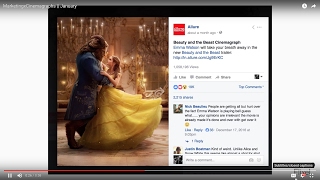
Best Brand Ads Using Cinemagraphs - January 2017 | Flixel
0:59
Best Brand Ads Using Cinemagraphs - January 2017 | Flixel
-
 1:07
Best Brand Ads Using Cinemagraphs - April 2017 | Flixel
1:07
Best Brand Ads Using Cinemagraphs - April 2017 | Flixel
-
 1:36
Best Filming Tips for Creating Cinemagraphs on iPhone or iPad | Flixel Tutorial
1:36
Best Filming Tips for Creating Cinemagraphs on iPhone or iPad | Flixel Tutorial
-
 1:18
ANTI | Small Businesses Creating Great Facebook Ads
1:18
ANTI | Small Businesses Creating Great Facebook Ads