Samsung Galaxy S8 and S8+: How to enable the developer options? (for USB Debugging etc.)
3,379 views · Published 28 April 2017 · 1:40 · Indexed 26 September 2026
Channel: phonesandmore · 2017 · Howto & Style
In this video I will show, how you can enable the developer options at the Samsung Galaxy S8 and S8+. I have used the S8+ in that video.

The developer options you need mostly for the transfer of data from or to your device. Just activate the "Stay Awake"-Mode and the "USB Debugging" for it.

Thanks for watching this channel :-)
More from this channel
-
 1:55
Huawei P9 (Lite): How to make a factory reset by the software? Hardreset
1:55
Huawei P9 (Lite): How to make a factory reset by the software? Hardreset
-
 1:39
Alcatel Shine Lite: How to take a screenshot/capture?
1:39
Alcatel Shine Lite: How to take a screenshot/capture?
-
 8:30
Samsung Galaxy S8 vs Huawei P10: Small Overview (Comparing Size, CPU, Camera, Battery etc.)
8:30
Samsung Galaxy S8 vs Huawei P10: Small Overview (Comparing Size, CPU, Camera, Battery etc.)
-
 1:53
Samsung Galaxy J5 (2017): Small Unboxing (What is included?)
1:53
Samsung Galaxy J5 (2017): Small Unboxing (What is included?)
-
 0:46
Huawei Mate 10 Lite: Which SIM card size is required? also for Mate 10 Pro and Mate 10 Porsche
0:46
Huawei Mate 10 Lite: Which SIM card size is required? also for Mate 10 Pro and Mate 10 Porsche
-
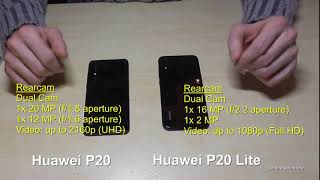 5:20
Huawei P20 vs. Huawei P20 Lite: Small Overview (Comparing Size, CPU, Camera, Battery etc.)
5:20
Huawei P20 vs. Huawei P20 Lite: Small Overview (Comparing Size, CPU, Camera, Battery etc.)
-
 1:44
Huawei Mate 10 (Lite): How to delete/remove/uninstall an app?
1:44
Huawei Mate 10 (Lite): How to delete/remove/uninstall an app?
-
 0:54
Google Play Store: How to clear the local search history?
0:54
Google Play Store: How to clear the local search history?