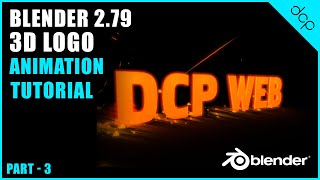
Blender 2.8 - Beginners Tutorial - [ 3D Text Animation Tutorial - Part 3 ]
4,473 views · Published 21 December 2018 · 15:43 · Indexed 20 October 2026
Channel: DCP Web Designers · 2018 · Education
In the third part of this Blender 2.8 Beginners Tutorial, I will show you how to render out image frames and convert your rendered images into a video using blender 2.8 video image sequencer.

Download and Install Blender 2.8 Tutorial: https://youtu.be/M7TTw96tZ3U

Watch Blender Beginners Tutorial Part 1 here: https://youtu.be/Fv39HObo3UI

Watch Blender Beginners Tutorial Part 2 here: https://youtu.be/g7Q6xMKdgk4

#Blender #3D #Tutorial #dcpweb

Subscribe to access 500+ video tutorials: https://www.youtube.com/dcpwebdesigners

Contact me on:

Instagram: https://www.instagram.com/dcp_web_designers/
Facebook: https://www.facebook.com/dcpwebdesigners/
Pinterest: https://www.pinterest.co.uk/dcpwebdesigners/
LinkedIn: https://www.linkedin.com/in/dcpwebdesigners/

Free tutorials, infographics, articles: https://www.dcpweb.co.uk/blog

Blender 2.8 - Beginners Tutorial - Part 3, Blender 2.8 - Beginners Tutorial, blender 3d text tutorial, blender 3d text animation tutorial, blender text tutorial, blender beginners text tutorial, blender tutorial for beginners 3d text, blender tutorial for beginners, blender 3d tutorial for beginners, blender 3d animation tutorial for beginners, blender 3d text tutorial for beginners, 3d text blender tutorial, blender 2.8 3d text tutorial, 3d text tutorial in blender
More from this channel
-
 9:50
How to organise Windows 8 Metro Start screen tiles
9:50
How to organise Windows 8 Metro Start screen tiles
-
 7:20
How to batch process images using Adobe Fire Works - DCP Web Designers Tutorial
7:20
How to batch process images using Adobe Fire Works - DCP Web Designers Tutorial
-
 13:16
How to create email account using Cpanel
13:16
How to create email account using Cpanel
-
 10:49
How to create a google+ community - DCP Web Designers Tutorial
10:49
How to create a google+ community - DCP Web Designers Tutorial
-
 4:30
How to create application short cuts on Windows 7
4:30
How to create application short cuts on Windows 7
-
 8:26
Window 8.1 Update 1 Beginners Tutorial
8:26
Window 8.1 Update 1 Beginners Tutorial
-
 13:30
Blender 3D beginners tutorial - 3D animated logo intro - Part 2
13:30
Blender 3D beginners tutorial - 3D animated logo intro - Part 2
-
 23:01
Blender 3D beginners tutorial - 3D animated logo intro - Part 3
23:01
Blender 3D beginners tutorial - 3D animated logo intro - Part 3