Character Tutorial - Arm IK FK Switch - Part 13A/38
4,509 views · Published 12 July 2012 · 21:17 · Indexed 2 October 2026
Channel: Tales of Nalstone · 2012 · Film & Animation
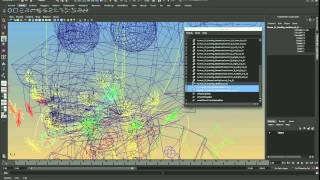
Here comes the dreaded rigging stage where we create an IKFK switch. For those who don't know, this switch allows us to transition the arms between two types of rigging. Forward Kinematics allows the animator to adjust each bone from the parent to child which will give great arcs for the limbs. Inverse Kinematics is the opposite where a Handle controls a specified child bone and automatically adjusts (called Solving) the parent bones allowing the animator to 'stick' the hand to objects such as a wall or table.

Here I go through a small scale example to begin with, I feel it's perhaps one of the most frustrating rigging aspects if you're not sure how to set this up. Problems you'll encounter (that we shall prevent and destroy by banishing them to the outer reaches of earth with fire and dust) include joint flipping, bones flying out of their resting places, parent constraint conflicts and IK handle conflicts.

Let's take this small scale and hopefully I'm clear enough in my explanation on a relatively simple IK FK switch. :)

Navigate the tutorial series in the playlist: http://www.youtube.com/playlist?list=PLB1B91427AAF8D622&feature=plcp
More from this channel
-
 10:38
Crash Course After Effects 1
10:38
Crash Course After Effects 1
-
 12:49
Crash Course Maya
12:49
Crash Course Maya
-
 3:12
Low Poly Barrel
3:12
Low Poly Barrel
-
 15:54
Character Tutorial - Modelling Legs - Part 3/38
15:54
Character Tutorial - Modelling Legs - Part 3/38
-
 7:34
Maya's Grouping and Parenting System
7:34
Maya's Grouping and Parenting System
-
 15:27
Character Tutorial - Parent Constraining your Controls - Part 11/38
15:27
Character Tutorial - Parent Constraining your Controls - Part 11/38
-
 11:08
Character Tutorial - Face Rig Controls - Part 19/38
11:08
Character Tutorial - Face Rig Controls - Part 19/38
-
 18:41
Character Tutorial - UV Mapping Torso - Part 27/38
18:41
Character Tutorial - UV Mapping Torso - Part 27/38