Adobe Photoshop CC | Logo Design | Vintage | Tutorial
337 views · Published 16 August 2016 · 9:42 · Indexed 21 September 2026
Channel: Asm Arif · 2016 · Howto & Style
Here is another Photoshop CC Tutorial for 2D Logo Design from Kdigits using Adobe Photoshop CC. Through this tutorial you'll learn, how to place same objects with different angle to make an attractive design. This design started with circle shape, then cut it into half moon shape, and gave a 3D look to place a cut section of half moon. I have used 4 copies of the 3d object. Then filled with gradient and added some details like Reflection, Drop Shadow, & watermark car background.
As always tutorial has been recorded in a very simple and easy to follow way, hope you'll like it.

Happy Watching. . . |'◡'|

If you have any further query please do contact Me on following links.

More from Asm Arif:
Facebook : https://www.facebook.com/asmarif999
Behance: https://www.behance.net/asmarif
More from this channel
-
 8:53
Logo Design | Adobe Illustrator CC | Tutorial
8:53
Logo Design | Adobe Illustrator CC | Tutorial
-
 7:06
Professional Logo Design | Adobe Illustrator cc (Path finder tool) | Tutorial
7:06
Professional Logo Design | Adobe Illustrator cc (Path finder tool) | Tutorial
-
 5:43
Professional Logo Design | Adobe Illustrator CC | Tutorial (Number)
5:43
Professional Logo Design | Adobe Illustrator CC | Tutorial (Number)
-
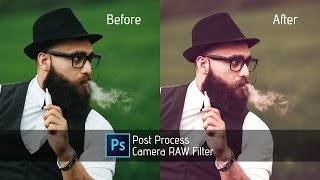 4:12
Photoshop Tutorial | Camera RAW Filter | Vintage Photo | Post Process
4:12
Photoshop Tutorial | Camera RAW Filter | Vintage Photo | Post Process
-
 5:25
Photoshop cc Tutorial: Dispersion Effect
5:25
Photoshop cc Tutorial: Dispersion Effect
-
 12:45
Photoshop cc Tutorial: How to edit and color fashion portraits
12:45
Photoshop cc Tutorial: How to edit and color fashion portraits
-
 11:02
Photoshop Tutorials: How to edit OUTDOOR Portrait (Photoshop CC 2017)
11:02
Photoshop Tutorials: How to edit OUTDOOR Portrait (Photoshop CC 2017)
-
 12:36
Photoshop cc tutorial: OUTDOOR PORTRAIT editing
12:36
Photoshop cc tutorial: OUTDOOR PORTRAIT editing