Motorola Droid Turbo 2 Reassemble After Whole Teardown
4,866 views · Published 21 March 2016 · 3:00 · Indexed 6 November 2026
Channel: Wit Rigs · 2016 · Science & Technology
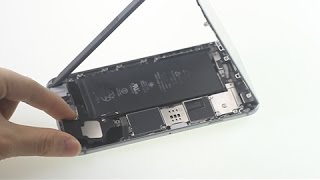
This video shows you how to reassemble the Motorola Droid Turbo 2 after whole teardown to replace back cover, middle frame, battery, loudspeaker, earpiece, rear and front camera and other small parts. Get Original Replacement Parts for Motorola Droid Turbo 2 / Moto X Force :https://witrigs.com/en4q0

Tools:
1.Phillips Screwdriver- https://zegsu.com/s/dj44o
2.Plastic guitar pick - https://zegsu.com/s/dj437
3.Suction cup - https://zegsu.com/s/dj2cm
4.Spudger - https://zegsu.com/s/dj44y
5.Tweezers - https://zegsu.com/s/dj447


Steps:
1. Install the side button flex.
2. Put the battery and front camera back.
3. Reassemble motherboard.
4. Put the motherboard back.
5. Reassemble Middle Frame.
6. Put Middle Frame Back.
7. Install Side Buttons - http://bit.ly/1Skukjv.
8. Replace with a new back cover sticker for Motorola Droid Turbo 2 - http://bit.ly/1MFzuSK.


Any questions leaned on the comments, leave them down.
Don’t forget to Like if this video helps you.
And don’t forget to SUBSCRIBE!

Witrigs offers not only mobile repair tutorial including disassembly, assembly, and components replacement guide, but also phone accessories review video on YouTube.
Publisher: Witrigs - http://bit.ly/1Avo6o3
Witrigs YouTube Channel - http://bit.ly/1HZTLkL

If you are interested in DIY phone repair or latest phone accessories review,
Subscribe Us on YouTube: http://bit.ly/1xNoHlm
Follow Us on Twitter: http://bit.ly/1yIu32C
Add Us on Google+: http://bit.ly/17oOFBN
Subscribe Us on Blog: http://bit.ly/14xGAJ6

-~-~~-~~~-~~-~-
Like Us on Facebook Page: https://facebook.com/witrigsphonerepair
Donate now if you feel our videos so helpful. https://www.paypal.me/witrigs/2
-~-~~-~~~-~~-~-
More from this channel
-
 0:25
PC Hybrid with TPU Bumper Case for Samsung Galaxy Note 3 - Witrigs
-
 3:01
iPhone 5S clear screen protector
-
 0:20
Quick change of Samsung Galaxy Note 2 cases !
-
 1:43
Sony Xperia Z1 Premium Wallet Folio Stand Leather Case Red Review
-
 0:38
Samsung Galaxy Note 3 Baby Blue Drawbench Battery Cover
-
 0:35
Quicksand Texture Matte Sony Xperia Z1 Hard Case Red Review
-
 3:17
REMAX Ceramic Earphones for IOS
-
 1:55
iPhone 6 speaker Replacement in the quickest and safest way