Design a Landing Page with Adobe XD and Photoshop [Part 3 of 3] | Adobe Creative Cloud
2,340 views · Published 26 September 2018 · 3:44 · Indexed 14 November 2026
Channel: Adobe Creative Cloud · 2018 · Education
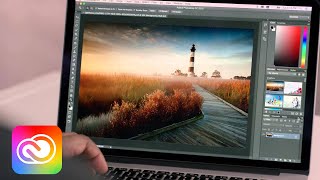
Learn how to design a landing page in Adobe XD and leverage assets from Photoshop CC. Start by quickly creating a wireframe in XD and see how simple it is to include and edit content from Photoshop within XD. Then once it’s ready for review, you can easily share the design to get instant feedback. Watch the following three videos to create your own web page and see how using both XD and Photoshop together can make your design process faster and easier. For more XD tutorials visit https://adobe.ly/2IcycEg

Subscribe to Adobe Creative Cloud: https://www.youtube.com/AdobeCreativeCloud?sub_confirmation=1

Download Adobe Express: https://adobe.ly/3rDM7M8

Learn More: https://www.adobe.com/products/photoshop/explore.html?sdid=H822XMCW&mv=social&mv2=ownsoc-org

About Adobe Creative Cloud:
Adobe Creative Cloud gives you the world's best creative apps so you can turn your brightest ideas into your greatest work across your desktop and mobile devices.

Connect with Adobe Creative Cloud:
Twitter: https://twitter.com/creativecloud
LinkedIn: https://www.linkedin.com/showcase/adobe-creative-cloud/
Facebook: https://www.facebook.com/adobecreativecloud
Instagram: https://www.instagram.com/adobecreativecloud/

#AdobeXD

Design a Landing Page with Adobe XD and Photoshop [Part 3 of 3] | Adobe Creative Cloud
https://www.youtube.com/watch?v=JYtZ2zsdE_so7XS6VF0ZSE
More from this channel
-
 4:29
Creative Cloud for Enterprise: Six Common Myths Dispelled | Adobe Creative Cloud
-
 1:08
Collaborate Better with Linked Assets in Creative Cloud Libraries | Adobe Creative Cloud
-
 1:37
PaintCan - Paint Your Photos | Adobe Creative Cloud
-
 2:38
Creative Cloud Transforms Creative Work for the World’s Top Brands | Adobe Creative Cloud
-
 1:43
Adobe CreativeSync | Adobe Creative Cloud
-
 3:01
Empowering Deaf students with Creative Cloud: The De La Salle-College of Saint Benilde | Adobe
-
 7:38
Adobe Muse | Creative Cloud Libraries | Adobe Creative Cloud
-
 1:03
The Future of Experience Design (XD): Nancy Douyon on Inspiration | Adobe Creative Cloud