Parasom earbuds pairing bluetooth - Windows
1,270 views · Published 28 October 2018 · 0:27 · Indexed 30 September 2026
Channel: Godarium · 2018 · Education
Parasom earbuds
**Pair on Windows 7 x64
1- turn off earbuds
2- open bluetooth peripheral windows
3- hold middle button on your earbuds controler , you will hear "connected"
    - continue  to hold until you hear "pairing"
4- icon will appear in bluetooth peripheral windows
5- go to audio manager
   -select  the device
   -and select as default

* Maybe company need do driver, as the  device show as mono, and if you play music, sound could be bad
More from this channel
-
 2:01
add web link to windows 8 start screen
2:01
add web link to windows 8 start screen
-
 1:13
Office publisher - change page size-
1:13
Office publisher - change page size-
-
 2:21
install Turbot pascal - windows 7 - dosbox
2:21
install Turbot pascal - windows 7 - dosbox
-
 11:15
install Turbot pascal - Linux Mint 17 - dosbox
11:15
install Turbot pascal - Linux Mint 17 - dosbox
-
 6:01
turbo c ++ - windows 7 install- - dosbox
6:01
turbo c ++ - windows 7 install- - dosbox
-
 2:13
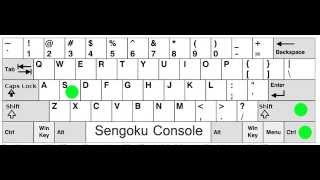
Open Sengoku Console ( and close) Same 4 All Paradox game
2:13
Open Sengoku Console ( and close) Same 4 All Paradox game
-
 0:32
Asus A52F series Laptop - reinstall = Hold F9
0:32
Asus A52F series Laptop - reinstall = Hold F9
-
 1:20
Publisher save as pdf
1:20
Publisher save as pdf