Changing Colors in Photoshop - Design Tip of the Week #14
2,575 views · Published 24 October 2014 · 8:33 · Indexed 9 October 2026
Channel: Yes I'm a Designer · 2014 · Education
It sounds like a simple thing to do to change colors, but to do it right you should learn to use Adjustment Layers like Hue/Saturation and Vibrance.

LEARN FROM US:
Build Rock Solid Foundations with our New 12 Weeks long Graphic Design Starter Bootcamp:
https://yesimadesigner.com/courses/starter-bootcamp/

In this tutorial I will explain the best workflow for re-coloring images or parts of them. Let's get started!
More from this channel
-
 6:56
Type on a Path in Photoshop, Illustrator and InDesign
6:56
Type on a Path in Photoshop, Illustrator and InDesign
-
 1:08
Adobe Illustrator CC for Designers
1:08
Adobe Illustrator CC for Designers
-
 8:49
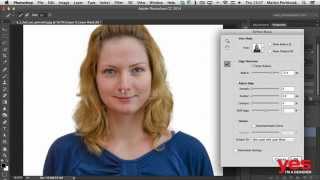
Selecting Hair in Photoshop
8:49
Selecting Hair in Photoshop
-
 1:33
Essential Skills for Designers - Mastering the Pen Tool
1:33
Essential Skills for Designers - Mastering the Pen Tool
-
 1:58
Bridge - The Hub of Your Creative Projects
1:58
Bridge - The Hub of Your Creative Projects
-
 0:58
Parallax Slider Design - Make Your Website Come to Life
0:58
Parallax Slider Design - Make Your Website Come to Life
-
 1:44
Digital Art Tutorial #1 - Floki from Vikings (time-lapse)
1:44
Digital Art Tutorial #1 - Floki from Vikings (time-lapse)
-
 6:40
Finding Your Calling as Designer - Getting Into the Creative Industry #7
6:40
Finding Your Calling as Designer - Getting Into the Creative Industry #7