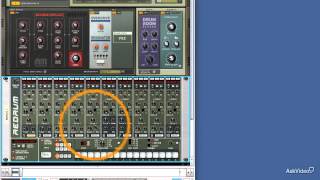
Reason 7 105: Working With Audio - 23. Audio Routing Basics
3,722 views · Published 15 August 2013 · 3:08 · Indexed 21 September 2026
Channel: macProVideoDotCom · 2013 · Education
Additional videos for this title: http://j.mp/14AvNGB
Reason 7 105: Working With Audio by Hollin Jones
Video 23 of 26 for Reason 7 105: Working With Audio

Learn how audio works in Reason from input to output. Youll see how to set proper levels and configure your monitoring. From there we move to recording tracks, stretching audio, working with loops and using samples. Hollin explains the process step by step to ensure that your tracks really pop!

Next he dives into Reasons cool algorithms for time-stretching (and shrinking) audio. Hollin even shows you how to record pre-processed audio using Reasons amazing arsenal of effects.

Did anyone say  sampling ? Yes, you can sample your audio tracks right into Reasons collection of samplers and drum machines. Theres no better way to create samples anywhere! And this is just the beginning

This tutorial by our Reason audio guru, Hollin Jones, will open your eyes and ears to all the cool stuff that Reason has to offer in the world of audio. Check it out!

This course, originally created in an earlier version of Reason, is forward-compatible with the most recent version.

We have the largest and most complete library of Reason tutorials on the planet. Subscribe to watch them online or build yourself a downloadable bundle to save up to 50 off the list price!
More info on this title: http://j.mp/14AvNGB
More from this channel
-
 3:21
Live 9 400: Max For Live: For Musicians - 3. Three Types of Devices
3:21
Live 9 400: Max For Live: For Musicians - 3. Three Types of Devices
-
 2:36
Flash Builder 105: Working with Data Grids - 9. Adding Popup Datagrid Control - Part 1
2:36
Flash Builder 105: Working with Data Grids - 9. Adding Popup Datagrid Control - Part 1
-
 4:45
Windows 8 103: Control Panel - Setup Made Easy - 1. Where Are You
4:45
Windows 8 103: Control Panel - Setup Made Easy - 1. Where Are You
-
 6:37
For Dummies: MacBook For Dummies - 62. Getting Music and Video into iTunes
6:37
For Dummies: MacBook For Dummies - 62. Getting Music and Video into iTunes
-
 4:31
Reason 107: Beat Design Basics - 14. Building Your Own Kits
4:31
Reason 107: Beat Design Basics - 14. Building Your Own Kits
-
 2:15
Reason 7 206: KONG: King of Drums - 1. Introducing Kong
2:15
Reason 7 206: KONG: King of Drums - 1. Introducing Kong
-
 1:19
Reason 7 205: Alligator - 1. Introduction
1:19
Reason 7 205: Alligator - 1. Introduction
-
 4:03
Final Cut Pro X 101: Core Training: Clips: Import and Organize - 5. DSLRs and Other File-based Came
4:03
Final Cut Pro X 101: Core Training: Clips: Import and Organize - 5. DSLRs and Other File-based Came