XO Pixel Designing with Adobe XD: Using UI Kits | Adobe Creative Cloud
1,700 views · Published 19 June 2017 · 2:08 · Indexed 29 October 2026
Channel: Adobe Creative Cloud · 2017 · Education
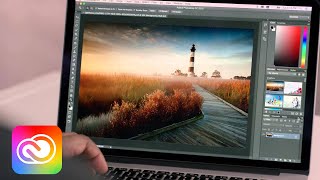
UX designer XO Pixel (Marisa Blair) designs a destination website with Adobe XD. Learn how to use the UI Kits that come with Adobe XD to grab arrow shapes and add them to a Repeat Grid.

Download the final XD project file: https://adobe.ly/xopixel

Download Adobe XD: http://adobe.ly/xd

Subscribe to Adobe Creative Cloud: https://www.youtube.com/AdobeCreativeCloud?sub_confirmation=1

Download Adobe Express: https://adobe.ly/3rDM7M8

Learn More: https://www.adobe.com/products/photoshop/explore.html?sdid=H822XMCW&mv=social&mv2=ownsoc-org

About Adobe Creative Cloud:
Adobe Creative Cloud gives you the world's best creative apps so you can turn your brightest ideas into your greatest work across your desktop and mobile devices.

Connect with Adobe Creative Cloud:
Twitter: https://twitter.com/creativecloud
LinkedIn: https://www.linkedin.com/showcase/adobe-creative-cloud/
Facebook: https://www.facebook.com/adobecreativecloud
Instagram: https://www.instagram.com/adobecreativecloud/

#AdobeXD

XO Pixel Designing with Adobe XD: Using UI Kits | Adobe Creative Cloud
https://www.youtube.com/watch?v=JYtZ2zsdE_ssCFSrR1qNXk
More from this channel
-
 4:29
Creative Cloud for Enterprise: Six Common Myths Dispelled | Adobe Creative Cloud
-
 1:08
Collaborate Better with Linked Assets in Creative Cloud Libraries | Adobe Creative Cloud
-
 1:37
PaintCan - Paint Your Photos | Adobe Creative Cloud
-
 2:38
Creative Cloud Transforms Creative Work for the World’s Top Brands | Adobe Creative Cloud
-
 1:43
Adobe CreativeSync | Adobe Creative Cloud
-
 3:01
Empowering Deaf students with Creative Cloud: The De La Salle-College of Saint Benilde | Adobe
-
 7:38
Adobe Muse | Creative Cloud Libraries | Adobe Creative Cloud
-
 1:03
The Future of Experience Design (XD): Nancy Douyon on Inspiration | Adobe Creative Cloud