Modeling the Magic Rose and Cover from Beauty and the Beast in SketchUp Part 1 - SketchUp Tutorial
2,450 views · Published 30 January 2017 · 16:16 · Indexed 20 October 2026
Channel: TheSketchUpEssentials · 2017 · Science & Technology
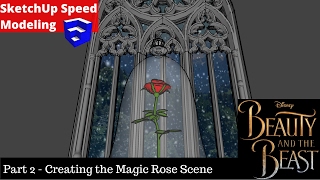
This tutorial will teach you to use the follow me tool in conjunction with models from the 3D warehouse to model the magic rose and the cover from the upcoming film Beauty and the Beast. Part 2 will teach you to create the background to finalize the scene.
♦SUPPORT ME♦ http://www.patreon.com/thesketchupessentials
♦Courses♦ http://www.thesketchupessentials.com/courses
♦Website♦ http://www.thesketchupessentials.com

PLEASE LIKE AND SUBSCRIBE
More SketchUp tutorials and resources at http://www.thesketchupessentials.com

Check Us Out On -
Twitter - http://www.twitter.com/easysketchup
Facebook - http://www.facebook.com/thesketchupessentials
Pinterest - http://www.pinterest.com/easysketchup/
More from this channel
-
 13:03
Home Entry Speed Build Part 2 - SketchUp Speed Modeling
-
 26:45
Halloween Haunted House SketchUp Speed Model
-
 12:05
Making My SketchUp Christmas Scene with Narration - SketchUp Speed Modeling
-
 13:03
Modeling a Mailbox - SketchUp Quick Tutorials
-
 8:57
Modeling a Koosh Ball in SketchUp with Skatter - SketchUp Quick Modeling
-
 13:58
Creating a Custom Style in SketchUp with Face Settings - The SketchUp Essentials #20
-
 9:26
SKETCHUP SPEED MODELING - Shield from Zelda: Breath of the Wild
-
 20:30
Creating the Magic Rose and Cover Scene from Beauty and the Beast in SketchUp - Part 2