Less Is More | Photoshop CC Tutorial #363/365
2,846 views · Published 29 December 2018 · 1:00 · Indexed 30 September 2026
Channel: Yes I'm a Designer · 2018 · Education
Less is more is a term you will probably hear a lot when people talk about Graphic Design and it is certainly true when we talk about applying effects and styles in Adobe Photoshop!

It can be easy to get carried away and use effects just because they are there but remember it can be easy to go overboard, use them carefully.

LEARN FROM US:
Build Rock Solid Foundations with our New 12 Weeks long Graphic Design Starter Bootcamp:
https://yesimadesigner.com/courses/starter-bootcamp/

We are coming close to the final video of the series, hopefully you have enjoyed it. In the meantime check out some other tutorials we have released so far:

Selecting Hair | Photoshop CC Tutorial #75/365
https://youtu.be/sv1njmqP2Wo
 Making selections of hair can be tricky but this workflow makes the process much simpler!

Balance in Design layouts | Theory Tutorial #85/365
https://youtu.be/S1482hr2I5Y

This tutorial will help you understand more about the term balance in a design context and why it’s essential to great work!

Using Scale | Theory Tutorial #97/365
https://youtu.be/Q6IFosR555Q
 Understanding what the term 'scale' refers to and how to use it will help ensure your work communicates effectively.

Bunting Brush | Illustrator Tutorial #164/365
https://youtu.be/ZNOt_cuI_n4
 Learn an interesting new way to make use of custom brushes in Adobe Illustrator.

Transitional Colour Palette | Illustrator Tutorial #176/365
https://youtu.be/j2KpLcrGee4
 This tutorial is perfect if you have ever felt a little stuck using colour!

Motion Blur | Photoshop CC Tutorial #138/365
https://youtu.be/rGbpuRgS0KI
Learn to create a motion blur effect so you can transform a static object to make it look as if it’s moving.

365 DAYS OF CREATIVITY SERIES:
https://www.youtube.com/playlist?list=PL0EqspLrOAxSxiN-P2JI2qlymiM02Wd0q

LEARN FROM US:
Build Rock Solid Foundations with our New 12 Weeks long Graphic Design Starter Bootcamp:
https://yesimadesigner.com/courses/starter-bootcamp/

SUPPORT US
https://www.patreon.com/yesimadesigner

BUY OUR DESIGN BUNDLES
https://gumroad.com/yes_im_a_designer

READ OUR BLOG
http://www.yesimadesigner.com/

FOLLOW US
https://www.instagram.com/yes_im_a_designer/
More from this channel
-
 6:56
Type on a Path in Photoshop, Illustrator and InDesign
6:56
Type on a Path in Photoshop, Illustrator and InDesign
-
 1:08
Adobe Illustrator CC for Designers
1:08
Adobe Illustrator CC for Designers
-
 8:49
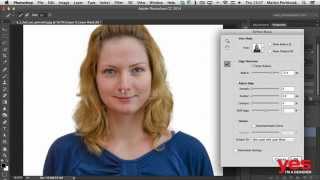
Selecting Hair in Photoshop
8:49
Selecting Hair in Photoshop
-
 1:33
Essential Skills for Designers - Mastering the Pen Tool
1:33
Essential Skills for Designers - Mastering the Pen Tool
-
 0:58
Parallax Slider Design - Make Your Website Come to Life
0:58
Parallax Slider Design - Make Your Website Come to Life
-
 1:44
Digital Art Tutorial #1 - Floki from Vikings (time-lapse)
1:44
Digital Art Tutorial #1 - Floki from Vikings (time-lapse)
-
 1:00
Minimalist Portrait in Illustrator CC | tips & time-lapse #18/365 Days of Creativity
1:00
Minimalist Portrait in Illustrator CC | tips & time-lapse #18/365 Days of Creativity
-
 1:00
Brush Pattern | ProCreate Tutorial #39/365 Days of Creativity
1:00
Brush Pattern | ProCreate Tutorial #39/365 Days of Creativity