PIXMA MG5720: Back of the printed paper displays ink smears or spots.
1,713 views · Published 8 December 2015 · 3:31 · Indexed 20 September 2026
Channel: CanonUSA · 2015 · Science & Technology
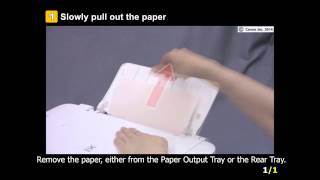
Learn how to clean the inside of the printer when ink spots appear on the back of the printed page.
More from this channel
-
 3:24
MAXIFY MB5320: Performing Print Head Alignment
3:24
MAXIFY MB5320: Performing Print Head Alignment
-
 0:58
PIXMA MG2922: Removing a jammed paper: paper can be seen
0:58
PIXMA MG2922: Removing a jammed paper: paper can be seen
-
 3:24
The Canon GENUINE Difference From A Service View
3:24
The Canon GENUINE Difference From A Service View
-
 2:46
Level Up Your Filmmaking: Mastering Advanced Movement
2:46
Level Up Your Filmmaking: Mastering Advanced Movement
-
 0:40
Third Generation imageRUNNER ADVANCE Feature Video - Limitless Booklet Making
0:40
Third Generation imageRUNNER ADVANCE Feature Video - Limitless Booklet Making