2014 Nissan Rogue - Navigation System Overview (if so equipped)
1,923 views · Published 18 April 2015 · 0:40 · Indexed 20 September 2026
Channel: Nissan Owner Channel · 2015 · Autos & Vehicles
"The NISSAN Navigation System uses a real-time map display and turn-by-turn voice instructions to help you navigate to your destination.

The Navigation System starts when the ignition is in the ON position.

This is your Navigation System's control panel. Use the touchscreen to select items on the screen. Some menu items can also be accessed by turning this knob to highlight the item and then pressing the dial to select.

To return to the previous screen or menu, press the BACK button on the control panel.
"
More from this channel
-
 0:34
2015 Nissan Quest - Child Safety Sliding Door Lock
0:34
2015 Nissan Quest - Child Safety Sliding Door Lock
-
 1:02
2015 NISSAN Pathfinder - Service and Maintenance Department
1:02
2015 NISSAN Pathfinder - Service and Maintenance Department
-
 0:59
2015 Nissan Rogue - Control Panel and Touch Screen Overview (if so equipped)
0:59
2015 Nissan Rogue - Control Panel and Touch Screen Overview (if so equipped)
-
 1:57
2014 NISSAN Murano - HomeLink® Universal Transceiver (if so equipped)
1:57
2014 NISSAN Murano - HomeLink® Universal Transceiver (if so equipped)
-
 0:32
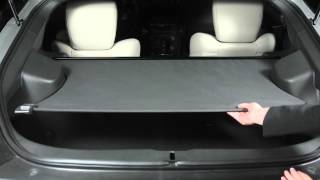
2015 NISSAN 370Z - Cargo Cover (if so equipped)
0:32
2015 NISSAN 370Z - Cargo Cover (if so equipped)
-
 0:52
2014 Nissan Quest - Voice Guidance (if so equipped)
0:52
2014 Nissan Quest - Voice Guidance (if so equipped)
-
 1:26
2014 Nissan Altima - Interior Storage
1:26
2014 Nissan Altima - Interior Storage
-
 0:46
2014 Nissan Altima - Power Outlets
0:46
2014 Nissan Altima - Power Outlets