Blender for Video Production Quick Start Guide | 7. Adding Sound and Voiceover for YouTube
3,704 views · Published 29 November 2018 · 4:33 · Indexed 24 October 2026
Channel: Packt · 2018 · Science & Technology
Blender for Video Production Quick Start Guide is available from:

Packt.com: http://bit.ly/2H5ETLu
Amazon: https://amzn.to/2sntNHv

This is the “Code in Action” video for chapter 7 of by Allan Brito, published by Packt. It includes the following topics:

00:12 - Using sound and voiceover for videos
00:35 - Grouping multiple audio tracks with video
01:07 - How to synchronize voiceover with video?
02:20 - Adding background music to a video

One of the critical components of any workflow related to video production is a reliable tool to create and edit media like video and audio. In most cases, you will find video producers using software that can only cut and mount video in a "traditional" way. What if you could use a software that offers not only options to edit and cut video, but also create 3D content and animation?

With Blender, you can make use of a fantastic set of tools to edit and cut video, and also produce 3d content that will enable you to take your productions to the next level.

Connect with Packt:
Find us on Facebook: http://www.facebook.com/PacktPub
Find us on Twitter: http://www.twitter.com/packtpub

Video created by Allan Brito
More from this channel
-
 4:13
Fast Track to Adobe Captivate 6 Tutorial: Inserting New Slides | packtpub.com
-
 3:24
UDK Game Programming with UnrealScript Tutorial: Configuring Kismet | packtpub.com
-
 3:25
Getting Started with Apache Maven Tutorial: Introducing Maven Plugins | packtpub.com
-
 2:55
Moodle for Mobile Learning Tutorial: LTI (Learning Tool Interoperability) | packtpub.com
-
 3:56
Moodle for Mobile Learning Tutorial: Embedding Twitter Feeds in Moodle | packtpub.com
-
 4:27
XNA 3D Game Development By Example Tutorial: Drawing Sprites | packtpub.com
-
 2:19
XNA 3D Game Development By Example Tutorial: Playing 3D Sound | packtpub.com
-
 4:24
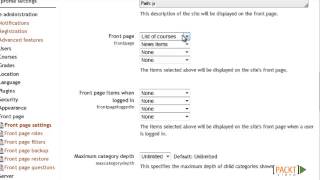
Moodle Course Development Tutorial: Setting Up the Front Page | packtpub.com