WORD: Stars and Gears with Polar Coordinates and VBA
410 views · Published 13 June 2018 · 6:39 · Indexed 26 September 2026
Channel: Vaclav Krejci · 2018 · Howto & Style
Word tutorials: https://www.youtube.com/playlist?list=PLkTfLuE2Kz-5hELeiPa6iVt97qL0W-aIR
E-book http://youtu.be/Z0jB9xJ5-TU
http://www.facebook.com/BestTextEffectsInWord
http://issuu.com/upir/docs/best_text_effects_in_microsoft_word

-----------------------------


Sub draw_polygon()
'
' draw_polygon Macro
'

Const segments = 60

Dim poly_points(0 To segments, 1 To 2) As Single
Dim radius As Long
Dim xorigin As Long
Dim yorigin As Long
Dim object_color As Long
Dim angle As Double

xorigin = 120
yorigin = 120
object_color = Rnd() * 5 + 4

For counter = 0 To segments
    If counter Mod 2 = 0 Then
        radius = 100
    Else
        radius = 80
    End If

    angle = 360 / segments * counter
    angle = angle / 360 * 2 * 3.141592654
    poly_points(counter, 1) = radius * Sin(angle) + xorigin
    poly_points(counter, 2) = radius * -Cos(angle) + yorigin
Next counter

With ActiveDocument.Shapes.AddPolyline(poly_points)
    .Fill.ForeColor.ObjectThemeColor = object_color
    .Line.Visible = 0
    .Select
End With

End Sub
More from this channel
-
 3:07
iOS 7 in Word - 05/30 - FACETIME ICON
3:07
iOS 7 in Word - 05/30 - FACETIME ICON
-
 2:58
iOS 7 in Word - 07/30 - MAIL ICON
2:58
iOS 7 in Word - 07/30 - MAIL ICON
-
 4:33
iOS 7 in Word - 12/30 - SAFARI ICON
4:33
iOS 7 in Word - 12/30 - SAFARI ICON
-
 3:57
iOS 7 in Word - 19/30 - VIDEOS ICON
3:57
iOS 7 in Word - 19/30 - VIDEOS ICON
-
 7:00
iOS 7 in Word - 25/30 - HOME SCREEN HEADER
7:00
iOS 7 in Word - 25/30 - HOME SCREEN HEADER
-
 10:47
WORD: Polka Dot Pattern with VBA
10:47
WORD: Polka Dot Pattern with VBA
-
 13:25
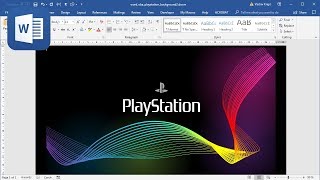
How to create Playstation background in Microsoft Word (Tutorial)
13:25
How to create Playstation background in Microsoft Word (Tutorial)