Adobe Presenter Video Express 11 & Personalize your background
2,928 views · Published 14 September 2015 · 1:58 · Indexed 26 September 2026
Channel: Adobe Digital Learning · 2015 · Education
Be a video star without leaving your workplace by customizing the background with just a few clicks, without the need for a green-screen. Easily simulate any location, and transform your videos into high-quality learning experiences. Record videos against any clutter-free, solid-color background, which you can then replace with your desktop screen or an image or video of choice including assets shipped with Adobe Presenter Video Express. Move, position and scale the foreground against the customized background to produce “as good as being there” scenarios.
More from this channel
-
 4:00
Creating Custom Themes for Adobe Captivate 7: Part 3
4:00
Creating Custom Themes for Adobe Captivate 7: Part 3
-
 6:28
Adobe Captivate 7.0.1: New Variables
6:28
Adobe Captivate 7.0.1: New Variables
-
 1:22
Adobe Captivate Prime: Fluidic Player and Notes
1:22
Adobe Captivate Prime: Fluidic Player and Notes
-
 2:24
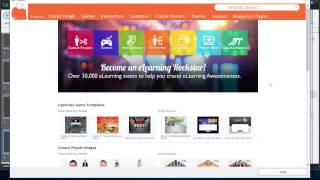
Adobe Captivate & exclusive eLearning assets
2:24
Adobe Captivate & exclusive eLearning assets
-
 2:08
Adobe Captivate & Multiscreen responsive eLearning
2:08
Adobe Captivate & Multiscreen responsive eLearning
-
 9:02
Self Enrolled and External Users in Adobe Captivate Prime
9:02
Self Enrolled and External Users in Adobe Captivate Prime
-
 5:23
Rulers and Guides in Adobe Captivate 9.0.1
5:23
Rulers and Guides in Adobe Captivate 9.0.1
-
 2:17
Adobe Captivate Prime: Adobe Connect Integration
2:17
Adobe Captivate Prime: Adobe Connect Integration