Change Background Photoshop Tutorial - Sunlight Sky Manipulation Effect
192 views · Published 18 June 2017 · 4:43 · Indexed 29 September 2026
Channel: Photoshop Tutorials by Layer Life · 2017 · Education
Learn how to change background in Photoshop. This Photoshop tutorial replaces the sky and adds sunlight to the photo. This manipulation effect is done using the Quick Selection Tool, Create Clipping Mask, and Lens Flare.

If you have any questions or comment then write them below.
Like & Subscribe!

Photo Credit:
(Background Photo)
https://www.pexels.com/photo/2-people-sitting-with-view-of-yellow-flowers-during-daytime-196666/

(Sky Photo)
https://www.pexels.com/photo/silhouette-of-mountains-46106/
More from this channel
-
 1:33
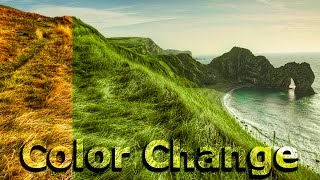
Change Color on Landscape Photography in Photoshop
1:33
Change Color on Landscape Photography in Photoshop
-
 4:16
Photoshop Hipster Badge Text - Compass Logo Text Tutorial
4:16
Photoshop Hipster Badge Text - Compass Logo Text Tutorial
-
 4:09
Typography Photoshop Tutorial - Text Tutorial Typography Effect
4:09
Typography Photoshop Tutorial - Text Tutorial Typography Effect
-
 2:17
Easy Photoshop Tutorial for Beginners - Glitch 3D Effect
2:17
Easy Photoshop Tutorial for Beginners - Glitch 3D Effect
-
 10:52
How to Colorize a Black and White Photo in Photoshop Tutorial
10:52
How to Colorize a Black and White Photo in Photoshop Tutorial
-
 3:57
Cool and Simple Logo Design Photoshop CC Tutorial
3:57
Cool and Simple Logo Design Photoshop CC Tutorial
-
 4:05
How to Create Square Photo Collage Photoshop Tutorial
4:05
How to Create Square Photo Collage Photoshop Tutorial
-
 2:01
How to Blend Two Images Together - Easy Photoshop Tutorial
2:01
How to Blend Two Images Together - Easy Photoshop Tutorial