converting columnar data to sortable rows
1,192 views · Published 5 June 2013 · 9:18 · Indexed 6 October 2026
Channel: Excel On Fire (Oz du Soleil) · 2013 · Education
This is a common problem:
"I received data that's in a long column but it needs to be in rows that can be sorted."

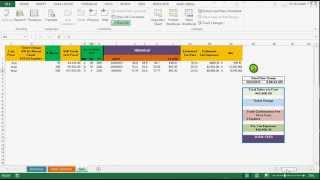
To get the data arranged properly, we look for patterns. One pattern is that there's a space before every new entry. From there, it's easy. The video shows how to use IF statements the the OFFSET function to get the data the way we need it.

Please comment or ask questions if you need clarification or have a request for other data/Excel challenges.
More from this channel
-
 5:03
Basic Excel Table Demo
5:03
Basic Excel Table Demo
-
 10:28
Generating Random Data to Set Up a Pivot Table Tutorial
10:28
Generating Random Data to Set Up a Pivot Table Tutorial
-
 4:13
slicers and pivots to determine trip destination
4:13
slicers and pivots to determine trip destination
-
 8:23
Excel Data Validation: Why It's Important
8:23
Excel Data Validation: Why It's Important
-
 3:41
Excel demo: retrieving current and historical stock data from the web.
3:41
Excel demo: retrieving current and historical stock data from the web.
-
 5:45
Sriracha Taste Test 2: Sky Valley, Saigon Sisters & Lee Kum Kee
5:45
Sriracha Taste Test 2: Sky Valley, Saigon Sisters & Lee Kum Kee
-
 5:09
The Power of Excel & Data: Oz at IgniteChicago
5:09
The Power of Excel & Data: Oz at IgniteChicago
-
 12:53
Excel Development: Building the Naughty-Nice-Ometer from scratch
12:53
Excel Development: Building the Naughty-Nice-Ometer from scratch