Autodesk Advanced Manufacturing
732 old videos with fewer than 5,000 views from this channel.
-
 3:03
Working with Clamps and Fixtures inside of FeatureCAM
-
 6:11
Creating a Pentagon on a Lathe from the X-Axis Tool
-
 3:50
Working with Inside/Outside Grooves in FeatureCAM
-
 2:42
Multiple Fixture Part Changes in FeatureCAM
-
 5:14
Working with Multiple Fixtures in First Frame within FeatureCAM
-
 1:45
Machining hard steels with Autodesk PowerMill and Union Tool
-
 4:52
Special Control Features with Development Partner Heidenhain
-
 3:06
Working with Tool Offsets inside of FeatureCAM
-
 4:20
Converting text 'curves' to machinable geometry
-
 4:04
Picking the right Tools for Counterbored Holes
-
 3:57
Adjusting the 'Minimum Corner Radius' in FeatureCAM
-
 16:20
FeatureCAM Ribbon Customization
-
 4:55
Posts In The Cloud - PowerMill 2019.1 Update (subscription only)
-
 2:11
Autodesk PowerMill rib machining helps IQ Manufacturing lower costs
-
 28:03
Autodesk Accelerate 2018 - Vincent Wegener of RAMLAB
-
 37:01
The Future of Making presented by Robert Yancey
-
 1:15
QUICK TIP: PowerMill | Keyboard Shortcuts
-
 0:53
Autodesk Smart Manufacturing
-
 1:50
Driving High Efficiency Machining with Okuma and PowerMill
-
 2:36
QUICK TIP: PowerMill | Leveraging Load Settings Options
-
 2:13
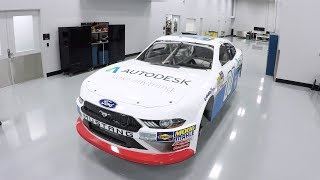
Stewart HAAS Racing leverages Autodesk PowerInspect Software
-
 2:27
C.R. Onsrud Design and Drive Qube 5-axis Machine with Autodesk
-
 1:41
Machining Blisks and Impellers on CB Ferrari ML45 with PowerMill
-
 2:19
Inspecting DED marine parts on demand at Europe’s largest port