CanonUSA
130 old videos with fewer than 5,000 views from this channel.
-
 3:18
PIXMA MG5720: Printed page shows misalignment of vertical lines or horizontal banding
-
 3:31
PIXMA MG5720: Back of the printed paper displays ink smears or spots.
-
 3:05
PIXMA MG5721: Prepare the printer for print head alignment
-
 2:18
PIXMA MG5721: Loading paper media for printing
-
 1:45
PIXMA MG5721: Removing a jammed paper from inside the printer
-
 2:24
PIXMA MG5722: Installing the ink tanks
-
 3:05
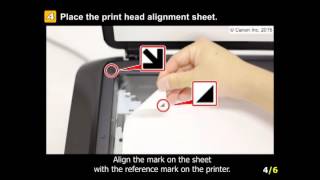
PIXMA MG5722: Prepare the printer for print head alignment
-
 3:18
PIXMA MG5722: Printed page shows misalignment of vertical lines or horizontal banding
-
 3:31
PIXMA MG5722: Back of the printed paper displays ink smears or spots.
-
 0:58
PIXMA MG7720: Removing a jammed paper from cassette 2
-
 4:16
PIXMA MG7720: Print on a disc label from a memory card
-
 4:18
Canon imageRUNNER ADVANCE Solutions for Accessibility
-
 5:00
Canon imageRUNNER ADVANCE Solutions for Security
-
 9:53
How do I add headers, footers, and watermarks to documents using imageRUNNER ADVANCE Desktop?
-
 3:03
How do I convert multiple documents to PDF using the Quick Printing Tool?
-
 7:44
How do I insert tabs and sheets into print jobs using imageRUNNER ADVANCE Desktop?
-
 6:43
Canon PIXMA MX479 - WiFi Protected Setup with a Windows® Computer
-
 7:26
Canon PIXMA MX479 - Wireless Setup using a USB cable and a Mac
-
 6:23
Canon ME20F-SH Video Tutorial Series - Part 2, Menu Overview
-
 2:07
Canon EOS 7D On-Camera Tutorials
-
 7:35
Canon: EOS HD Video Production Tutorials
-
 9:48
Canon: EOS HD Video Production Tutorials
-
 2:19
Announcing Firmware Updates to Canon 4K Reference Displays
-
 1:56
Identifying Canon GENUINE Parts and Supplies