How to Assign the Global IP Address to a High Availability Mediant™ 3000 Using the EMS Client
926 views · Published 25 September 2012 · 9:02 · Indexed 9 October 2026
Channel: Avaya Mentor · 2012 · Science & Technology
This video is about assigning the Global IP address to a High Availability Mediant 3000 Release 2 configuration using the EMS Client Release 6.2. The Release 6.2 EMS Client is directly associated with a Release 6.2 Element Management System server. The Avaya Release 2 Mediant 3000 designation corresponds directly to the AudioCodes Release 6.2 Mediant 3000 Software. The individual TP-6310 IP addresses were previously assigned using the AudioCodes BootP server application.

Video Content Timeline: 00:05
Title 00:20
Intro 01:20
Demo begin 01:40
Add Media Gateway
02:28 Initial communication with Media Gateway
02:44 Configure Global IP Address
04:50 Reset Media Gateway
05:54 Re-add Media Gateway using Global IP Address
07:02 Synchronize Media Gateway configuration to EMS
07:46 Additional Information
08:35 Thank you; Questions/Feedback

Produced by Ricardo Cadena.
More from this channel
-
 10:23
H.248 Branch Gateway Logging
10:23
H.248 Branch Gateway Logging
-
 8:58
Avaya CMS r16.3 Excessive Web Log File Growth Issue
8:58
Avaya CMS r16.3 Excessive Web Log File Growth Issue
-
 4:21
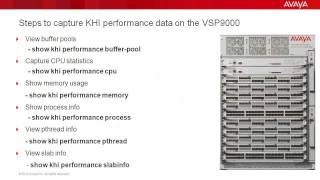
Troubleshooting the Avaya VSP9000 with Key Health Indicators (KHI)
4:21
Troubleshooting the Avaya VSP9000 with Key Health Indicators (KHI)
-
 8:20
How to use the Avaya Web.alive Depot Feature
8:20
How to use the Avaya Web.alive Depot Feature
-
 9:01
How to Install RHEL for Avaya Agile Communication Environment (ACE)
9:01
How to Install RHEL for Avaya Agile Communication Environment (ACE)
-
 1:48
How to Remove a Custom Banner in Avaya WLAN 8100 WC with CLI
1:48
How to Remove a Custom Banner in Avaya WLAN 8100 WC with CLI
-
 8:31
How to use the Historical OM window of the Avaya AS5300's System Manager
8:31
How to use the Historical OM window of the Avaya AS5300's System Manager
-
 1:53
How to Configure syslog on the Avaya ERS8800
1:53
How to Configure syslog on the Avaya ERS8800