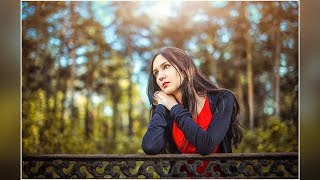
Photoshop Tutorial : How To Add Rainbow On Your Portrait
2,826 views · Published 11 June 2018 · 4:31 · Indexed 12 November 2026
Channel: Farzzology · 2018 · Education
Photoshop Tutorial : How To Add Rainbow On Your Portrait

In this tutorial I'm gonna show you a new thing today. You can easily make your portrait more dramatic by adding rainbow effect on your portrait and this is the best way to do.

Support me by giving like and comments
And Don't Forget to SUBSCRIBE !!
_____________________________________
Rainbow : https://btchdirectioner.deviantart.com/art/rainbow-resources-pack-708420686
____________________________________
Facebook :  https://www.facebook.com/farzzhasin
Instagram : https://www.instagram.com/farzz_/
__________________________________
Background Music Credit :
Track: Rival x Cadmium - Seasons (feat. Harley Bird) [NCS Release]
Music provided by NoCopyrightSounds.
Watch: https://youtu.be/Nl_4MWNh08I
Free Download / Stream: http://ncs.io/SeasonsYO
More from this channel
-
 5:26
Photoshop Tutorial : How to create Face Logo in Photoshop
-
 5:24
Photoshop Tutorial : How to Create a Porcelain Skin Effect in Photoshop
-
 12:20
Photoshop Tutorial : How To Create Neon Stroke Text Effect in Photoshop
-
 15:59
Photoshop Tutorial : Blend and Retouch in Photoshop - Outdoor Portrait Edit
-
 7:56
Fairy Light Portrait Edit in Photoshop | Edit Like Brandon Woelfel
-
 7:13
Photoshop CC Tutorial : Outdoor Portrait Edit - Color Grading Tutorial
-
 13:31
Photoshop Tutorial : Outdoor Portrait Edit - Cinematic Color Tone Tutorial
-
 13:03
Photoshop Tutorial : Cinematic Color Tone In Photoshop