2019 INFINITI QX30 - Control Panel and Touch Screen Overview
3,659 views · Published 30 November 2018 · 1:53 · Indexed 8 October 2026
Channel: INFINITI USA · 2018 · Autos & Vehicles
"This video is copyrighted material of Nissan North America, Inc. and should not be copied, edited, or reproduced without the permission of Nissan.


You can view information and adjust settings for various vehicle systems using the touchscreen display and the INFINITI controller on the center console.

Items on the display can be selected or adjusted using the touchscreen. Drag your finger along the screen to scroll up or down through a list of items.

For some menus, a series of circles is shown at the bottom of the display indicating the number of screens available for the current option. The filled in circle indicates the position of the current screen in the series. To scroll pages left or right move your finger in a swipe gesture to the left to move forward a page, or to the right to move back a page. You can also move through pages by touching these arrow icons on the left or right side of the screen.

Touch THESE arrows to scroll up or down the page one item at a time. When multiple pages of options are available, touching THESE double arrows scrolls up or down an entire page.

This is the INFINITI controller. Press THIS button to display the main menu. Turn the dial to highlight an item and press the OK button at the center of the dial to select. If you press the OK button while a map screen is displayed, the shortcut menu is shown on the left half of the screen. Touch SELECT ADD/EDIT to adjust the options shown on the shortcut menu.

Press the STATUS button on the control panel to cycle through system status information for the heater and air conditioner, and navigation system, if so equipped.

To return to the previous screen, press the BACK button on the INFINITI controller.

Please see your INFINITI InTouch™ Owner’s Manual for important safety information, system limitations, and additional operating and feature information."
More from this channel
-
 0:34
2013 Infiniti FX - Receiving a Call
0:34
2013 Infiniti FX - Receiving a Call
-
 1:24
2013 Infiniti FX - Bluetooth® without Navigation Making And Receiving a Call
1:24
2013 Infiniti FX - Bluetooth® without Navigation Making And Receiving a Call
-
 3:40
2013 Infiniti FX - Destination Button
3:40
2013 Infiniti FX - Destination Button
-
 1:54
2013 Infiniti EX - Power Windows
1:54
2013 Infiniti EX - Power Windows
-
 2:04
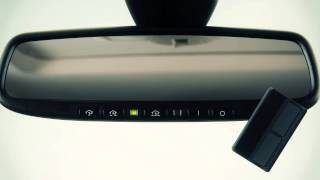
2013 Infiniti EX - HomeLink® Universal Transceiver (if so equipped)
2:04
2013 Infiniti EX - HomeLink® Universal Transceiver (if so equipped)
-
 1:51
2013 Infiniti EX - Connecting Procedure
1:51
2013 Infiniti EX - Connecting Procedure
-
 1:49
2013 Infiniti EX - Alternate Command Mode (One Step Calling)
1:49
2013 Infiniti EX - Alternate Command Mode (One Step Calling)
-
 0:34
2013 Infiniti EX - Receiving a Call
0:34
2013 Infiniti EX - Receiving a Call