CompTIA A+ 220-601: 1.1 - BIOS and CMOS Overview
4,420 views · Published 18 July 2010 · 12:11 · Indexed 23 October 2026
Channel: Professor Messer · 2010 · Science & Technology
See our entire index of CompTIA A+ videos at http://www.FreeAPlus.com - What really happens when you start your computer? In this video, we'll show you how the BIOS handles the most basic operations of your personal computer and how the CMOS stores all of your important configuration information. We'll also show you how to use VMware Player or Microsoft Virtual PC to create a test lab on your computer where you can test BIOS changes without modifying your PC settings.
More from this channel
-
 14:24
CompTIA A+ 220-601 (7.1), 220-602 (7.2, 7.3) - Managing Safety Hazards
14:24
CompTIA A+ 220-601 (7.1), 220-602 (7.2, 7.3) - Managing Safety Hazards
-
 10:15
CompTIA A+ 220-601 (1.3), 220-602 (1.3) - Troubleshooting Memory Problems
10:15
CompTIA A+ 220-601 (1.3), 220-602 (1.3) - Troubleshooting Memory Problems
-
 7:57
CompTIA A+ 220-601: 1.1 - Connectors and Adapters
7:57
CompTIA A+ 220-601: 1.1 - Connectors and Adapters
-
 12:59
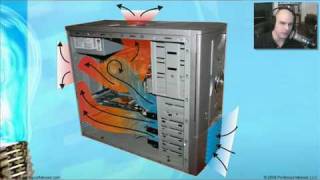
CompTIA A+ 220-601: 1.1 - Cooling System Overview
12:59
CompTIA A+ 220-601: 1.1 - Cooling System Overview
-
 12:38
CompTIA A+ 220-601 (1.1), 220-602 (1.1, 1.2) - Input Devices
12:38
CompTIA A+ 220-601 (1.1), 220-602 (1.1, 1.2) - Input Devices
-
 23:28
CompTIA A+ 220-601 (1.1, 1.3), 220-602 (1.1) - Installing, Configuring, and Upgrading Video
23:28
CompTIA A+ 220-601 (1.1, 1.3), 220-602 (1.1) - Installing, Configuring, and Upgrading Video
-
 21:17
CompTIA A+ 220-601 (1.2, 1.3), 220-602 (1.1) - Installing, Configuring, and Upgrading Audio
21:17
CompTIA A+ 220-601 (1.2, 1.3), 220-602 (1.1) - Installing, Configuring, and Upgrading Audio
-
 9:49
CompTIA A+ 220-601: 1.2 - Working with Multimedia Devices
9:49
CompTIA A+ 220-601: 1.2 - Working with Multimedia Devices