Professor Messer
72 old videos with fewer than 5,000 views from this channel.
-
 14:24
CompTIA A+ 220-601 (7.1), 220-602 (7.2, 7.3) - Managing Safety Hazards
-
 9:31
CompTIA A+ 220-601: 3.3 - Software Tools
-
 12:46
CompTIA A+ 220-601: 1.1 - Installing Motherboards
-
 27:16
The Mobile Classroom Episode 38: Google Search Tips and Tricks
-
 10:15
CompTIA A+ 220-601 (1.3), 220-602 (1.3) - Troubleshooting Memory Problems
-
 12:11
CompTIA A+ 220-601: 1.1 - BIOS and CMOS Overview
-
 7:57
CompTIA A+ 220-601: 1.1 - Connectors and Adapters
-
 12:59
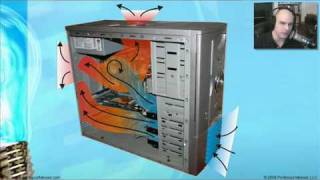
CompTIA A+ 220-601: 1.1 - Cooling System Overview
-
 12:38
CompTIA A+ 220-601 (1.1), 220-602 (1.1, 1.2) - Input Devices
-
 23:28
CompTIA A+ 220-601 (1.1, 1.3), 220-602 (1.1) - Installing, Configuring, and Upgrading Video
-
 21:17
CompTIA A+ 220-601 (1.2, 1.3), 220-602 (1.1) - Installing, Configuring, and Upgrading Audio
-
 9:49
CompTIA A+ 220-601: 1.2 - Working with Multimedia Devices
-
 14:32
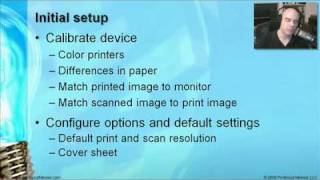
CompTIA A+ 220-601 (4.2), 220-602 (4.2) - Selecting and Installing Printers and Scanners
-
 8:55
CompTIA A+ 220-602: 4.4 - Printer and Scanner Preventive Maintenance
-
 17:32
CompTIA A+ 220-601 (4.3), 220-602 (4.3) - Troubleshooting Printers and Scanners
-
 17:46
CompTIA A+ 220-601 (2.1), 220-602 (2.1) - Laptop and Portable Technologies
-
 15:21
Diagnosing and Troubleshooting Laptops and Portable Devices
-
 21:13
CompTIA A+ 220-601: 3.2 - Planning a Windows OS Installation
-
 17:07
CompTIA A+ 220-601: 3.2 - Upgrading to Windows 2000
-
 17:29
CompTIA A+ 220-601: 3.2 - Upgrading to Windows XP
-
 25:23
CompTIA A+ 220-601 (3.2), 220-602 (3.2) - Optimizing the Windows Operating System
-
 23:59
CompTIA A+ 220-601 (3.1), 220-602 (3.1) - Directory Structures and Files
-
 22:55
CompTIA A+ 220-601 (3.3), 220-602 (3.3) - Disk Management
-
 14:50
CompTIA A+ 220-601 (3.3), 220-602 (3.3) - Common Operational Issues