InDesign CS4 - GREP your Figures.
4,543 views · Published 5 July 2009 · 4:37 · Indexed 24 October 2026
Channel: Cari Jansen · 2009 · Education
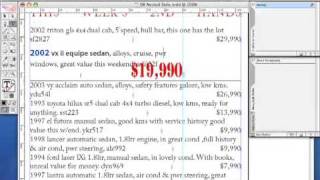
Short GREP Style tutorial in a series of tutorials. Learn how to format any figures (1,2,3,4,5,6,7,8,9,0) differently throughout your paragraphs, by incorporating a GREP style into the Paragraph Style you're using to format the text with. Also see www.carijansen.com for more tips and tricks.
More from this channel
-
 1:56
Adobe InDesign CS2 - Nested and Next Styles
-
 1:02
Adobe InDesign CS2 - Last Line Right Indent
-
 3:41
Adobe Photoshop CS2 - Creating and duplicating Vector Smart Objects
-
 2:39
Adobe Photoshop CS2 - Editing Vector Smart Objects
-
 1:36
Adobe Photoshop CS2 - Replacing Vector Smart Objects
-
 2:04
Adobe Illustrator CS2 - Faded dotted pattern
-
 7:03
Adobe InDesign, Typefi AutoFit - one-to-many relationship
-
 4:37
Illustrator CS4 Two Artboards and a shared PDF Review