How to Configure the Linux Services for SAL Policy Server 1.5 to Start Automatically at System Boot
359 views · Published 26 September 2012 · 6:01 · Indexed 9 October 2026
Channel: Avaya Mentor · 2012 · Science & Technology
This tutorial will provide the configuration steps required to have your SAL Policy Server Linux services automatically start at system boot. Produced by Steven Daniel.
More from this channel
-
 10:23
H.248 Branch Gateway Logging
10:23
H.248 Branch Gateway Logging
-
 8:58
Avaya CMS r16.3 Excessive Web Log File Growth Issue
8:58
Avaya CMS r16.3 Excessive Web Log File Growth Issue
-
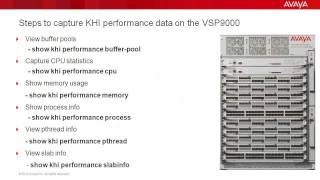 4:21
Troubleshooting the Avaya VSP9000 with Key Health Indicators (KHI)
4:21
Troubleshooting the Avaya VSP9000 with Key Health Indicators (KHI)
-
 8:20
How to use the Avaya Web.alive Depot Feature
8:20
How to use the Avaya Web.alive Depot Feature
-
 9:01
How to Install RHEL for Avaya Agile Communication Environment (ACE)
9:01
How to Install RHEL for Avaya Agile Communication Environment (ACE)
-
 1:48
How to Remove a Custom Banner in Avaya WLAN 8100 WC with CLI
1:48
How to Remove a Custom Banner in Avaya WLAN 8100 WC with CLI
-
 8:31
How to use the Historical OM window of the Avaya AS5300's System Manager
8:31
How to use the Historical OM window of the Avaya AS5300's System Manager
-
 1:53
How to Configure syslog on the Avaya ERS8800
1:53
How to Configure syslog on the Avaya ERS8800