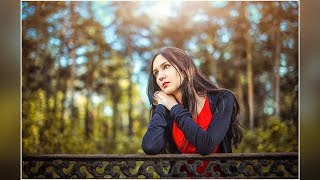
Photoshop Tutorial : How To Get Moody Greenish Look
2,692 views · Published 3 February 2018 · 9:00 · Indexed 16 October 2026
Channel: Farzzology · 2018 · Education
Photoshop Tutorial : How To Get Moody  Greenish Look

Hi, welcome to Farzzology. In this tutorial I am gonna show you how to achieve a moody color look in photoshop just using hue and saturation adjustment tool. This is really a easy way to make your portrait attractive. Hope you will enjoy.
And don't forget to subscribe !
____________________________
Model : https://www.pexels.com/photo/835944/
_______________________________________
Facebook : https://www.facebook.com/farzzhasin
Instagram : https://www.instagram.com/farzz_/
____________________________________
Background Music Credit :

Track: JPB - Get Over You (feat. Valentina Franco) [NCS Release]
Music provided by NoCopyrightSounds.
Watch: https://youtu.be/Z2E_32dkoWU
Free Download / Stream: http://ncs.io/GetOverYouYO
More from this channel
-
 5:26
Photoshop Tutorial : How to create Face Logo in Photoshop
-
 5:24
Photoshop Tutorial : How to Create a Porcelain Skin Effect in Photoshop
-
 12:20
Photoshop Tutorial : How To Create Neon Stroke Text Effect in Photoshop
-
 15:59
Photoshop Tutorial : Blend and Retouch in Photoshop - Outdoor Portrait Edit
-
 7:56
Fairy Light Portrait Edit in Photoshop | Edit Like Brandon Woelfel
-
 7:13
Photoshop CC Tutorial : Outdoor Portrait Edit - Color Grading Tutorial
-
 13:31
Photoshop Tutorial : Outdoor Portrait Edit - Cinematic Color Tone Tutorial
-
 13:03
Photoshop Tutorial : Cinematic Color Tone In Photoshop