2019 INFINITI QX30 - Making, Receiving and Ending a Call
263 views · Published 30 November 2018 · 2:05 · Indexed 5 October 2026
Channel: INFINITI USA · 2018 · Autos & Vehicles
"This video is copyrighted material of Nissan North America, Inc. and should not be copied, edited, or reproduced without the permission of Nissan.


To make a call using the Bluetooth® Hands-Free Phone System:
● Press the MENU button on the INFINITI controller, then
● Touch PHONE.

Touch the key on the screen to:
● Dial an entry from a list of favorite contacts,
● A number from the incoming or outgoing call history,
● A phonebook entry, or
● Input the number manually using a key pad on the touch screen.

You can also use voice recognition to make a phone call.
● Press the TALK button on the steering wheel,
● Say “Phone”, then
● Say “Call” followed by the name of the phonebook entry.
● A list is displayed with possible matches. Speak the number of the entry you wish to dial.

To answer an incoming call, press the PHONE button on the steering wheel or touch ANSWER on the display screen. To reject an incoming call, touch DECLINE.

If a call is placed to the phone while another call is active, a notification will appear on the screen. Touch ANSWER to place the current call on hold and accept the incoming call. Touch DECLINE to reject the incoming call.

When two calls are active, touch SWITCH CALL to switch between the two calls. Touch END ALL CALLS to disconnect both calls.

While a call is active, touch USE HANDSET to transfer the call to your phone. To switch the call back to the Bluetooth system, touch USE HANDS FREE.

Touch MUTE to mute your voice to the other end of the call. Touch CANCEL MUTE to cancel the mute function.

Touch ENTER DIGITS to display a keypad on the screen to input additional digits during a call.

When you wish to end a call, touch HANG UP on the display screen.

Please see your INFINITI InTouch™ Owner’s Manual for important safety information, system limitations, and additional operating and feature information."
More from this channel
-
 0:34
2013 Infiniti FX - Receiving a Call
0:34
2013 Infiniti FX - Receiving a Call
-
 1:24
2013 Infiniti FX - Bluetooth® without Navigation Making And Receiving a Call
1:24
2013 Infiniti FX - Bluetooth® without Navigation Making And Receiving a Call
-
 3:40
2013 Infiniti FX - Destination Button
3:40
2013 Infiniti FX - Destination Button
-
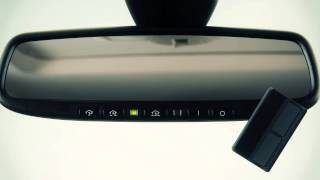 2:04
2013 Infiniti EX - HomeLink® Universal Transceiver (if so equipped)
2:04
2013 Infiniti EX - HomeLink® Universal Transceiver (if so equipped)
-
 1:51
2013 Infiniti EX - Connecting Procedure
1:51
2013 Infiniti EX - Connecting Procedure
-
 1:49
2013 Infiniti EX - Alternate Command Mode (One Step Calling)
1:49
2013 Infiniti EX - Alternate Command Mode (One Step Calling)
-
 0:34
2013 Infiniti EX - Receiving a Call
0:34
2013 Infiniti EX - Receiving a Call
-
 2:18
2013 Infiniti QX - Intelligent Cruise Control (Full Speed Range)(if so equipped)
2:18
2013 Infiniti QX - Intelligent Cruise Control (Full Speed Range)(if so equipped)