2013 Infiniti QX - Receiving a Call
322 views · Published 6 November 2012 · 0:34 · Indexed 10 November 2026
Channel: INFINITI USA · 2012 · Autos & Vehicles
To receive a call, press the phone icon on the steering wheel, or touch the "Answer" key on the display.

When you wish to end a call, press the phone icon button on the steering wheel again.

It is also possible to switch a call from Bluetooth® to your cellular phone's handset. While you are on the phone, several options will be displayed on the touchscreen. Select the "Use Handset" option to transfer the call to your cellular phone.
More from this channel
-
 1:59
2013 Infiniti FX - Vehicle Phonebook
-
 0:34
2013 Infiniti FX - Receiving a Call
-
 1:24
2013 Infiniti FX - Bluetooth® without Navigation Making And Receiving a Call
-
 2:15
2013 Infiniti FX - Navigation System Overview (if so equipped) Navigation System Overview
-
 3:40
2013 Infiniti FX - Destination Button
-
 1:10
2013 Infiniti EX - Remote Entry
-
 1:54
2013 Infiniti EX - Power Windows
-
 2:04
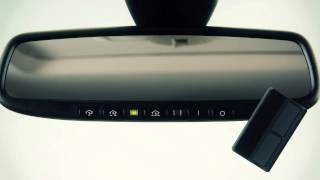
2013 Infiniti EX - HomeLink® Universal Transceiver (if so equipped)