How to Insert Random Text in PowerPoint EASILY
4,358 views · Published 30 August 2017 · 3:16 · Indexed 10 November 2026
Channel: Presentation Process · 2017 · Howto & Style
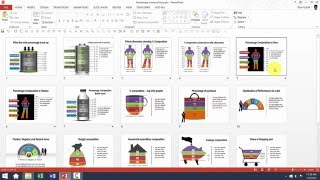
How to Insert Random Text in PowerPoint.
You may use this kind of dummy text when creating a PowerPoint Template or designing slides for others to fill in.
You can add dummy Latin text as lorem ipsum dolor sit amet
OR random english text as The Quick Brown Fox Jumps Over the Lazy Dog. Step by Step method to display both are shown in this video.

Key Links:
**********

Sign up for Free Sneak Peek Into Mastery Program:
-------------------------------------
https://www.presentation-process.com/sneak-peek-into-powerpoint-mastery-ytb.html

Comprehensive PowerPoint Training:
-------------------------------------
https://www.presentation-process.com/powerpoint-mastery-ytb-chnl.html

Comprehensive All In One Bundle
4020+ Ready to Use PowerPoint Templates
-------------------------------------
https://shop.presentation-process.com/p/comprehensive-all-in-one-powerpoint-bundle-2-0
More from this channel
-
 6:45
PowerPoint Photoframe : PowerPoint Effects Tutorial Series
-
 5:12
How To Resize 3D Shapes in PowerPoint : Tips and Tricks Series
-
 3:31
PowerPoint CEO Pack 1 Intro Video
-
 11:54
Basics of editing Data Driven Visual PowerPoint Graphs Pack
-
 5:01
Custom Your Data Driven BAR Charts in PowerPoint Graphs Pack
-
 5:37
Custom Your Data Driven LINE Charts in PowerPoint Graphs Pack
-
 3:17
Custom Your Data Driven PIE Charts With Second Level Detail
-
 5:38
Help Video: Customize Currency Composition Charts in Graphs Pack