How to Change a Model's Eye Color
4,278 views · Published 16 May 2014 · 4:51 · Indexed 4 November 2026
Channel: ON1 · 2014 · Education
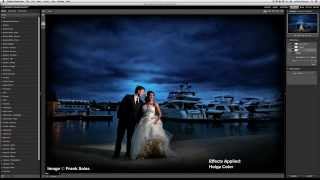
There are dozens of tiny details that can be adjusted in a portrait to truly make it stand out. With the help of an Adjustment Brush inside of Perfect Effects, you can skillfully swap out boring colors for new ones in a few small steps.
More from this channel
-
 12:02
Perfect Inspiration: Episode 41 - Creating Style In The Absence Of Visual Information
-
 1:31
Perfect Portrait 2 - Using The Eye & Mouth Pane
-
 17:58
Perfect Inspiration: Episode 46 - Using Inspiration Boards with Whitney Stevens
-
 17:34
Perfect Inspiration: Episode 50 - Simplifying Your Composition with Colby Brown
-
 23:15
Perfect Inspiration: Episode 55 - Save Yourself Time Through An Organized Workflow with Nicole Young
-
 2:53
Perfect Photo Suite 7 - Using the Clone Brush
-
 58:13
Everything You Need to Prepare Your Images for Print
-
 0:35
Perfect Effects 4 - Create Professional Looks Instantly