How to Save Configuration and License Files to the Standby CP Card on the Avaya VSP9000
247 views · Published 22 June 2012 · 3:39 · Indexed 1 October 2026
Channel: Avaya Mentor · 2012 · Science & Technology
This Avaya Mentor tech tip covers the steps to automatically save configuration and license files to the standby CP card on the Avaya VSP9000 using the save to standby feature. Produced by Wayne Godsoe.
More from this channel
-
 10:23
H.248 Branch Gateway Logging
10:23
H.248 Branch Gateway Logging
-
 4:21
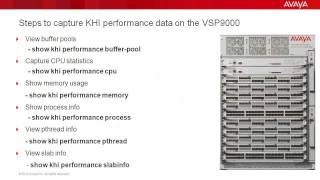
Troubleshooting the Avaya VSP9000 with Key Health Indicators (KHI)
4:21
Troubleshooting the Avaya VSP9000 with Key Health Indicators (KHI)
-
 8:20
How to use the Avaya Web.alive Depot Feature
8:20
How to use the Avaya Web.alive Depot Feature
-
 9:01
How to Install RHEL for Avaya Agile Communication Environment (ACE)
9:01
How to Install RHEL for Avaya Agile Communication Environment (ACE)
-
 1:48
How to Remove a Custom Banner in Avaya WLAN 8100 WC with CLI
1:48
How to Remove a Custom Banner in Avaya WLAN 8100 WC with CLI
-
 1:53
How to Configure syslog on the Avaya ERS8800
1:53
How to Configure syslog on the Avaya ERS8800
-
 6:54
Avaya Aura® Session Border Controller SNMP Trap Generation
6:54
Avaya Aura® Session Border Controller SNMP Trap Generation
-
 7:10
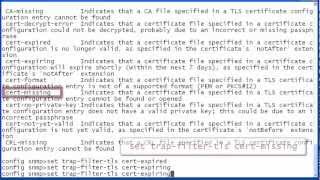
Avaya Aura® Session Border Controller SNMP Trap Administration
7:10
Avaya Aura® Session Border Controller SNMP Trap Administration