How to create text based Infographic Slides in PowerPoint
4,517 views · Published 2 December 2017 · 11:01 · Indexed 31 October 2026
Channel: Presentation Process · 2017 · Howto & Style
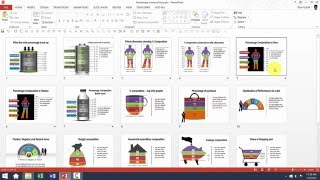
Learn to create an interesting text-based Infographic Slide in PowerPoint.
Use this PowerPoint infographic to make your slides, brochures or ebooks more visual and beautiful.
We use the 3D Cube in PowerPoint auto shapes to create this graphic.
Watch the video from Ramgopal to know more.

Key Links:
**********
25 Creative Ideas MINI Training
https://www.presentation-process.com/25-creative-presentation-ideas-mini-training.html

Infographics Pack from All PPT Templates
-=================================
https://www.all-ppt-templates.com/powerpoint-infographics-pack-sb.html

Ramgopal's PowerPoint Mastery Training Program:
https://www.presentation-process.com/ramgopals-powerpoint-mastery-program.html
More from this channel
-
 6:45
PowerPoint Photoframe : PowerPoint Effects Tutorial Series
-
 5:12
How To Resize 3D Shapes in PowerPoint : Tips and Tricks Series
-
 3:31
PowerPoint CEO Pack 1 Intro Video
-
 11:54
Basics of editing Data Driven Visual PowerPoint Graphs Pack
-
 5:01
Custom Your Data Driven BAR Charts in PowerPoint Graphs Pack
-
 5:37
Custom Your Data Driven LINE Charts in PowerPoint Graphs Pack
-
 3:17
Custom Your Data Driven PIE Charts With Second Level Detail
-
 5:38
Help Video: Customize Currency Composition Charts in Graphs Pack