Animated Pyramid Puzzle Graphic in PowerPoint
3,526 views · Published 2 March 2018 · 9:24 · Indexed 31 October 2026
Channel: Presentation Process · 2018 · Howto & Style
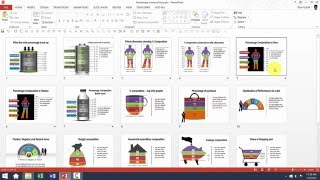
Learn how to create a useful Animated Pyramid Puzzle Graphic in PowerPoint.
Use this triangular jigsaw diagram in any business presentation. The animation ensures that you can cover each part of the puzzle step by step.
This video is created in PowerPoint 2016 by Ramgopal from Presentation Process website.

Sign Up For Newsletter
=================
https://www.presentation-process.com/sign-up-for-success-by-powerpoint-newsletter-for-youtube-subscribers.html

Comprehensive All In One Bundle - PowerPoint Templates:
================================
https://shop.presentation-process.com/p/comprehensive-all-in-one-powerpoint-bundle-2-0
Ramgopal's PowerPoint Mastery Training Program:
================================
https://www.presentation-process.com/powerpoint-training-courses.html
More from this channel
-
 6:45
PowerPoint Photoframe : PowerPoint Effects Tutorial Series
-
 5:12
How To Resize 3D Shapes in PowerPoint : Tips and Tricks Series
-
 3:31
PowerPoint CEO Pack 1 Intro Video
-
 11:54
Basics of editing Data Driven Visual PowerPoint Graphs Pack
-
 5:01
Custom Your Data Driven BAR Charts in PowerPoint Graphs Pack
-
 5:37
Custom Your Data Driven LINE Charts in PowerPoint Graphs Pack
-
 3:17
Custom Your Data Driven PIE Charts With Second Level Detail
-
 5:38
Help Video: Customize Currency Composition Charts in Graphs Pack