2013 Infiniti QX - Control Panel and Touch Screen Overview
766 views · Published 6 November 2012 · 1:23 · Indexed 6 November 2026
Channel: INFINITI USA · 2012 · Autos & Vehicles
Located in the middle of the console is the information center for your vehicle. Through your commands, the color screen will provide information on Navigation, Audio, Phone, and Bluetooth®.

You have two ways to access the information:

The first is through the controller. By rotating or pushing the center dial up or down, you will be able to find a desired action. Once located, make your choice and press the enter button to select an item.

After the operation is complete, press the BACK button to return to the previous screen.

In addition to the controller, you can also access functions by using the touch screen operations.

With this system, the same operations as those for the INFINITI controller are possible using the touch screen operation.

To select an item such as FUEL ECONOMY OR MAINTENANCE, first press the INFO button on the control panel, then touch the FUEL ECONOMY or MAINTENANCE key. To return to the previous screen, touch the "BACK" key.

Touch the plus "+" key or minus "-" key to adjust the settings of an item.

Touch the arrows to scroll up or down the page one item at a time, or touch the double arrows to scroll up or down an entire page.
More from this channel
-
 1:59
2013 Infiniti FX - Vehicle Phonebook
-
 0:34
2013 Infiniti FX - Receiving a Call
-
 1:24
2013 Infiniti FX - Bluetooth® without Navigation Making And Receiving a Call
-
 2:15
2013 Infiniti FX - Navigation System Overview (if so equipped) Navigation System Overview
-
 3:40
2013 Infiniti FX - Destination Button
-
 1:10
2013 Infiniti EX - Remote Entry
-
 1:54
2013 Infiniti EX - Power Windows
-
 2:04
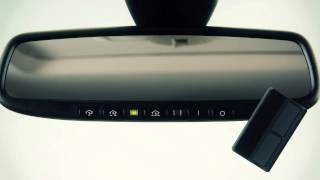
2013 Infiniti EX - HomeLink® Universal Transceiver (if so equipped)