Saving Time in Post-production – ON1 Photo RAW
3,145 views · Published 26 June 2017 · 17:01 · Indexed 31 October 2026
Channel: ON1 · 2017 · Education
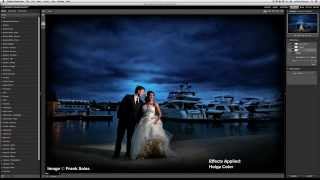
Having a smooth workflow can have a huge impact on the time you spend in post-production.  In this video, I want to share my personal workflow for Bliss Studio. I have found faster ways to cull through my images and get them prepped for clients to view.  I'll take you from the beginning of the process to adding presets, to exporting them out for both web and finals. It is always good to find ways to improve your workflow as even small changes can have the impact you need. - Whitney Stevens of Bliss Studio

ON1 Photo RAW is the only photo editor designed by photographers for photographers. With fast photo management, hundreds of customizable photo effects, fast and beautiful HDR, panos, easy-to-use yet powerful masking and selection tools, layers, and more, ON1 Photo RAW is the ultimate all-in-one photo editor and raw processor and a great alternative to Adobe Lightroom and Photoshop.

Learn more about ON1 Photo RAW 2018: http://onone.buzz/2BOSvXn

Free 30-day ON1 Photo RAW 2018 Trial:
http://onone.buzz/2HPoJlY

Follow us on Facebook: http://onone.buzz/2FyGfdm
Follow us on Twitter: http://onone.buzz/2oBFUhI
Follow us on Instagram: http://onone.buzz/2GOeRHL
Go to the ON1 Blog: http://onone.buzz/2CLmSKT
More from this channel
-
 12:02
Perfect Inspiration: Episode 41 - Creating Style In The Absence Of Visual Information
-
 1:31
Perfect Portrait 2 - Using The Eye & Mouth Pane
-
 17:58
Perfect Inspiration: Episode 46 - Using Inspiration Boards with Whitney Stevens
-
 17:34
Perfect Inspiration: Episode 50 - Simplifying Your Composition with Colby Brown
-
 23:15
Perfect Inspiration: Episode 55 - Save Yourself Time Through An Organized Workflow with Nicole Young
-
 2:53
Perfect Photo Suite 7 - Using the Clone Brush
-
 58:13
Everything You Need to Prepare Your Images for Print
-
 0:35
Perfect Effects 4 - Create Professional Looks Instantly