Custom Your Desktop Background before Screencasts
4,808 views · Published 27 July 2017 · 6:10 · Indexed 1 November 2026
Channel: Presentation Process · 2017 · Howto & Style
Learn how to Custom Your Desktop Background before Screencasts so your company logo or brand name appears on screen when your desktop is displayed during the recording.

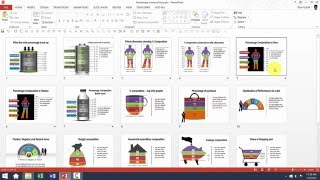
Many presenters use PowerPoint to create online training or webinars. When you toggle between PowerPoint and another software, you desktop may be displayed. Here is how to change the desktop background before recording.

Key Links:
**********

Sign up for Free Snackable Tips Course:
-------------------------------------
https://www.presentation-process.com/welcome-youtube-sign-free-snackable-powerpoint-course.html

Comprehensive PowerPoint Training:
-------------------------------------
https://shop.presentation-process.com/p/powerpoint-mastery-2Comprehensive All In One Bundle
4020+ Ready to Use PowerPoint Templates
-------------------------------------
https://shop.presentation-process.com/p/comprehensive-all-in-one-powerpoint-bundle-2-0
Get 50 Fresh PowerPoint Templates Every Month:
-------------------------------------
https://www.presentation-process.com/fresh-templates-club.html
More from this channel
-
 6:45
PowerPoint Photoframe : PowerPoint Effects Tutorial Series
-
 5:12
How To Resize 3D Shapes in PowerPoint : Tips and Tricks Series
-
 3:31
PowerPoint CEO Pack 1 Intro Video
-
 11:54
Basics of editing Data Driven Visual PowerPoint Graphs Pack
-
 5:01
Custom Your Data Driven BAR Charts in PowerPoint Graphs Pack
-
 5:37
Custom Your Data Driven LINE Charts in PowerPoint Graphs Pack
-
 3:17
Custom Your Data Driven PIE Charts With Second Level Detail
-
 5:38
Help Video: Customize Currency Composition Charts in Graphs Pack