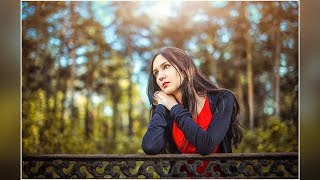
Photoshop Tutorial : How to Composite and Blend Images in Photoshop - Background Change
783 views · Published 8 November 2017 · 15:30 · Indexed 6 November 2026
Channel: Farzzology · 2017 · Education
Photoshop Tutorial : How to Composite and Blend Images in Photoshop - Background Change

Hi, In this tutorial I'm gonna show you  how to create a background, cut out the subject, determine the correct level of exposure for background and model, as well as matching and creating color, and much more. Hope you will enjoy.

Like, Comment & Subscribe to stay updated with the latest content !
_________________________________________
Model : http://bit.ly/2zFCvGK
Background : http://bit.ly/2xLeXL2
Fire : http://bit.ly/2yH0ZQ2
____________________________________________
Facebook :  https://www.facebook.com/farzzhasin
Instagram : https://www.instagram.com/farzz_/
_____________________________________
Background Music Credit :
Alive by ikson: http://www.soundcloud.com/ikson
Music promoted by Audio Library https://youtu.be/OYef8hEHn64
________________________________________
More from this channel
-
 5:26
Photoshop Tutorial : How to create Face Logo in Photoshop
-
 5:24
Photoshop Tutorial : How to Create a Porcelain Skin Effect in Photoshop
-
 12:20
Photoshop Tutorial : How To Create Neon Stroke Text Effect in Photoshop
-
 15:59
Photoshop Tutorial : Blend and Retouch in Photoshop - Outdoor Portrait Edit
-
 7:56
Fairy Light Portrait Edit in Photoshop | Edit Like Brandon Woelfel
-
 7:13
Photoshop CC Tutorial : Outdoor Portrait Edit - Color Grading Tutorial
-
 13:31
Photoshop Tutorial : Outdoor Portrait Edit - Cinematic Color Tone Tutorial
-
 13:03
Photoshop Tutorial : Cinematic Color Tone In Photoshop