Photoshop CC 2015 web design tutorial - Tips for Zooming & Navigating Your Document Part 9/48
1,590 views · Published 13 June 2016 · 2:41 · Indexed 5 October 2026
Channel: Bring Your Own Laptop · 2016 · Howto & Style
New Year Sale, Save 30% off your membership: https://byol.com/ny26yt
Full course at: https://goo.gl/5gFyCa
Free Exercise Files: https://goo.gl/15d15i
Free Cheat Sheet: https://goo.gl/FBWHZ9

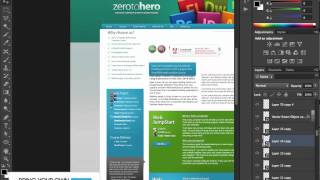
Photoshop cc 2015 web design tutorial part 9. Learn tips for zooming & navigating your document

======================================================
Video main transcript:
0:15 we're going to look at zooming and
0:17 moving around in a document now there
0:20 are many ways to zoom in and out of a
0:22 document i'm going to show you the
0:24 Quickest and easiest way on our neck you
0:27 hold down the command key and tap the
0:30 lus on your keyboard now if you're on a
0:32 pc hold down the control key and tap
0:34 plus and it will zoom in now holding
0:37 that same key and tapping the minus will
0:39 zoom out now what we want to do is we
0:42 want to make sure that we're viewing our
0:44 Photoshop mock-up at the same size it's
0:46 going to be rendered in web browser and
0:48 because I web browser obviously we can't
0:51 zoom in and out like we can do in
0:52 Photoshop so what we're going to do is
0:54 see it at actual size now to do this if
0:56 you're on any computer other than a new
0:58 macbook pro the easiest way is to go to
1:01 view and pick a hundred percent okay
1:03 that will show it as actual size now you
1:06 can see our mine here it is about half
1:09 the size it should be because i'm using
1:10 a macbook pro with a Retina display and
1:13 long story short it essentially shows
1:15 you everything in about half size now
1:18 what we need to do with anybody with a
1:20 MacBook Pro is that you need to be set
1:22 to this two hundred percent okay blow it
1:23 up twice the size now Photoshop will
1:25 show at the same sort of size it will
1:27 show you on a website so you can be a
1:29 bit clearer about what sort of font
1:31 sizes you want to pick so to be clear if
1:33 you aren't any computer but a macbook
1:35 pro retina display use this hundred
1:37 percent if you are on a Retina Display
1:39 use two hundred percent now that we're
1:42 in this kind of closer zoom level we
1:45 want to move around now the long way is
1:47 I could drag these little sliders around
1:49 and that works a nice a way to work is
1:51 if I hold down my spacebar key on my
1:54 keyboard you'll see my cursor changes
1:56 from our move tool to this little hand
1:59 and this hand will allow me to click
2:02 hold and drag my mouse okay and move
2:05 around my document so i can click i'm
2:06 holding my spacebar key down the whole
2:08 time and i'm clicking and i'm dragging
2:10 and then letting go with my mouse and
2:11 this is a nice easy way to
2:13 around the document right that's our
2:15 zooming and navigating your document now
2:18 I love to share so made a few of these
2:20 videos free of course though I'd love
2:21 for you to go on and do my full course
2:24 of over 50 videos there's a discount
2:26 code in the description please like and
2:28 subscribe and hide it our good YouTube
2:31 people now saluting and waving but you can see


======================================================

Facebook:https://www.facebook.com/BringYourOwnLaptop
G+: https://plus.google.com/+ByolAuAdobe
Twitter: https://twitter.com/danlovesadobe/
Pinterest: https://www.pinterest.com/byolaptop/
Website: https://www.bringyourownlaptop.co.nz/
Course Url: https://goo.gl/lQKAZr

Trending topic on youtube

#Adobe #Photoshop #Tutorial
#HowtoDesignaWebsiteinPhotoshop
#PhotoshopTutorial
#CC_2015
#DesignAWebsite
#production_videos

Thanks and Subscribe Channel
More from this channel
-
 5:43
Photoshop training courses - Advanced Layers with Dan.
5:43
Photoshop training courses - Advanced Layers with Dan.
-
 3:52
Adjusting Content - InDesign CC Tutorial [7/20]
3:52
Adjusting Content - InDesign CC Tutorial [7/20]
-
 3:19
Should you use a local or a .com domain name for your business - Buying a domain name [3/9]
3:19
Should you use a local or a .com domain name for your business - Buying a domain name [3/9]
-
 5:27
How to buy domain name from GoDaddy - Buying a domain name[7/9]
5:27
How to buy domain name from GoDaddy - Buying a domain name[7/9]
-
 5:03
How to buy a domain name from someone - Buying a domain name [8/9]
5:03
How to buy a domain name from someone - Buying a domain name [8/9]
-
 3:48
Photoshop CC 2015 Web Design Tutorial | Clipping Mask in Photoshop for Websites - 31/48
3:48
Photoshop CC 2015 Web Design Tutorial | Clipping Mask in Photoshop for Websites - 31/48
-
 2:07
How To Use Eye Dropper Tool For Web Design | Adobe Photoshop CC 2015 Tutorial 2017 Part - 12/48
2:07
How To Use Eye Dropper Tool For Web Design | Adobe Photoshop CC 2015 Tutorial 2017 Part - 12/48
-
 3:27
Photoshop CC 2015 Web Design Tutorial - Layer Shortcuts you need to know Part 11/48
3:27
Photoshop CC 2015 Web Design Tutorial - Layer Shortcuts you need to know Part 11/48