MacBook Air 13" A1369 Mid 2011 & Late 2010 Wi-Fi Card Replacement | DIY Repair Guide
2,846 views · Published 16 August 2016 · 6:31 · Indexed 20 September 2026
Channel: How-FixIT · 2016 · Science & Technology
If you have a wifi connection problem on your MacBook Air 13" A1369 Mid 2011 & Late 2010 or your Wireless Card is not working properly, use this guide to fix this issue!
Buy tools and wifi card on AMAZON:
Screwdriver Set: https://hfixt.com/spro
Tool Kit: https://hfixt.com/pryt
Tweezers: https://hfixt.com/tzrs
Magnetic Mat: https://hfixt.com/mat
Wi-Fi Card: https://amzn.to/4mjUMgV

Buy tools and wifi card on AliExpress:
Screwdriver set: https://hfixt.com/alis
Tool Kit: https://hfixt.com/alit
Tweezers set: https://hfixt.com/altz
Magnetic Mat: https://hfixt.com/amat
Wi-Fi Card: https://s.click.aliexpress.com/e/_opOCX6x

📌*Useful links*
Best Screwdriver Set: https://youtu.be/fdtNem4rDDM
Repair Tools & Safety Tips: https://youtu.be/Sp7PhrKV-vQ
DIY repair guides: https://how-fixit.com

📱Follow us for more tech tips and guides!
TikTok: https://www.tiktok.com/@howfixit
Instagram: https://www.instagram.com/howfixit/
Facebook: https://www.facebook.com/HowFixit/
X: https://x.com/howfixit

*DESCRIPTION*
Facing a frustrating wifi laptop connection problem or noticing your Wi-Fi is not working correctly on your MacBook Air 13" A1369 Mid 2011 & Late 2010? Don't worry, we've got you covered! In this detailed HowFixit tutorial, we will guide you step-by-step through safely replacing your Wi-Fi card, quickly resolving those annoying connectivity issues.
This tutorial is compatible with the MacBook Air 13" A1369 Mid 2011 & Late 2010.
You don't need advanced technical skills—just basic tools and a little guidance. We'll walk you through each step, from safely opening your MacBook Air 13" A1369 Mid 2011 & Late 2010 to correctly replacing the wireless card and reassembling your device. Never struggle with Wi-Fi connectivity issues again—this DIY repair guide provides everything you need to confidently tackle your wifi laptop connection problem yourself.
Don’t forget to like, subscribe, and hit the notification bell for more handy DIY laptop repair guides from HowFixit!

❓ *Frequently Asked Questions:*
Question: What if my Wi-Fi still doesn’t work after replacement?
Answer: Ensure antenna cables are securely connected and the Wi-Fi card is compatible.

Question: Can I use any Wi-Fi card for MacBook Air 13" A1369 Mid 2011 & Late 2010?
Answer: No, always use a compatible Wi-Fi Mini PCI-e card as linked in the description.

Question: Is it necessary to disconnect the battery?
Answer: Yes, this prevents accidental damage from short circuits.

Question: How long does the Wi-Fi card replacement take?
Answer: Typically, 15-30 minutes for beginners.

AFFILIATE PROGRAM
We are a participant in the Amazon Services LLC Associates Program, an affiliate advertising program designed to provide a means for us to earn fees by linking to Amazon and affiliated sites.

#howfixit #laptoprepair #diy #techguide
More from this channel
-
 14:17
Acer Aspire E1-531, E1-571, E1-521 Laptop Reassembly Guide
14:17
Acer Aspire E1-531, E1-571, E1-521 Laptop Reassembly Guide
-
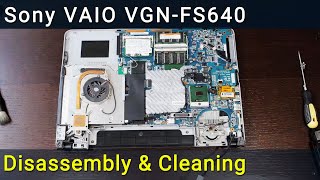 16:15
Sony VAIO VGN-FS640 PCG-7A2L Disassembly, Fan Cleaning, and Thermal Paste Replacement Guide
16:15
Sony VAIO VGN-FS640 PCG-7A2L Disassembly, Fan Cleaning, and Thermal Paste Replacement Guide
-
 9:39
Packard Bell Z5WT3 Laptop Reassembly Guide after Maintenance
9:39
Packard Bell Z5WT3 Laptop Reassembly Guide after Maintenance
-
 14:41
MacBook Pro A1226 Hard Drive Replacement – Fast & Easy SSD Upgrade
14:41
MacBook Pro A1226 Hard Drive Replacement – Fast & Easy SSD Upgrade
-
 1:55
How to Replace Lenovo IdeaPad M5400 Optical Drive OR Add 2nd HDD/SSD with Caddy
1:55
How to Replace Lenovo IdeaPad M5400 Optical Drive OR Add 2nd HDD/SSD with Caddy
-
 11:03
How to reassemble laptop Asus R510
11:03
How to reassemble laptop Asus R510