How to Replace Lenovo IdeaPad M5400 Optical Drive OR Add 2nd HDD/SSD with Caddy
1,673 views · Published 18 March 2016 · 1:55 · Indexed 20 September 2026
Channel: How-FixIT · 2016 · Science & Technology
With this quick guide, swap the DVD drive for a high-speed SSD or extra hard drive on your Lenovo IdeaPad M5400 laptop.
Buy tools and battery on AMAZON:
Screwdriver Set: https://hfixt.com/spro
Tool Kit: https://hfixt.com/pryt
Tweezers: https://hfixt.com/tzrs
Magnetic Mat: https://hfixt.com/mat
Caddy 9.5mm: https://hfixt.com/cdy9

Buy tools and battery on AliExpress:
Screwdriver set: https://hfixt.com/alis
Tool Kit: https://hfixt.com/alit
Tweezers set: https://hfixt.com/altz
Magnetic Mat: https://hfixt.com/amat
Caddy 9.5mm: https://hfixt.com/ady9

📌*Useful links*
Best Screwdriver Set: https://youtu.be/fdtNem4rDDM
Repair Tools & Safety Tips: https://youtu.be/Sp7PhrKV-vQ
DIY repair guides: https://how-fixit.com

📱Follow us for more tech tips and guides!
TikTok: https://www.tiktok.com/@howfixit
Instagram: https://www.instagram.com/howfixit/
Facebook: https://www.facebook.com/HowFixit/
X: https://x.com/howfixit

*DESCRIPTION*
In this HowFixit step-by-step video I show exactly how to replace the DVD drive for a high-speed SSD or extra hard drive on your Lenovo IdeaPad M5400 laptop.
🎯For the Lenovo M5400 laptop, a 9.5mm SATA HDD/SSD caddy is compatible. This model features a 9.5mm-thick optical drive bay, making it suitable for a 9.5mm caddy.
When replacing the optical drive with a caddy, ensure you transfer the original faceplate (bezel) and mounting bracket to the new caddy for a proper fit and appearance.
Whether you want dual-drive flexibility, faster boot times, or just more space for games and footage, this upgrade costs less than a dinner and takes under ten minutes.
Smash that Like button, subscribe for more DIY repairs, and drop questions in the comments—HowFixit’s got you covered!

❓ *Frequently Asked Questions:*
Question: What size caddy fits the Lenovo IdeaPad M5400?
Answer: A 9.5 mm SATA optical-bay caddy is ideal.

Question: Can I keep my optical drive and still add storage?
Answer: Not internally—you must choose between DVD and extra drive. Use an external USB DVD if needed.

Question: Will this void my warranty?
Answer: If your laptop is out of warranty, you’re safe. Otherwise, check the manufacturer's policy; user-serviceable parts usually remain covered when done carefully.

Question: Does the caddy affect battery life?
Answer: Minimal impact; HDDs draw slightly more power than SSDs, but overall difference is small.

Question: What file system should I pick?
Answer: For Windows, NTFS for large files; for cross-platform sharing, exFAT.

AFFILIATE PROGRAM
We are a participant in the Amazon Services LLC Associates Program, an affiliate advertising program designed to provide a means for us to earn fees by linking to Amazon and affiliated sites.

#howfixit #laptopupgrade #diy #techguide
More from this channel
-
 14:17
Acer Aspire E1-531, E1-571, E1-521 Laptop Reassembly Guide
14:17
Acer Aspire E1-531, E1-571, E1-521 Laptop Reassembly Guide
-
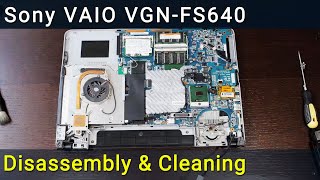 16:15
Sony VAIO VGN-FS640 PCG-7A2L Disassembly, Fan Cleaning, and Thermal Paste Replacement Guide
16:15
Sony VAIO VGN-FS640 PCG-7A2L Disassembly, Fan Cleaning, and Thermal Paste Replacement Guide
-
 9:39
Packard Bell Z5WT3 Laptop Reassembly Guide after Maintenance
9:39
Packard Bell Z5WT3 Laptop Reassembly Guide after Maintenance
-
 14:41
MacBook Pro A1226 Hard Drive Replacement – Fast & Easy SSD Upgrade
14:41
MacBook Pro A1226 Hard Drive Replacement – Fast & Easy SSD Upgrade
-
 11:03
How to reassemble laptop Asus R510
11:03
How to reassemble laptop Asus R510
-
 6:31
MacBook Air 13" A1369 Mid 2011 & Late 2010 Wi-Fi Card Replacement | DIY Repair Guide
6:31
MacBook Air 13" A1369 Mid 2011 & Late 2010 Wi-Fi Card Replacement | DIY Repair Guide