MacBook Pro A1226 Hard Drive Replacement – Fast & Easy SSD Upgrade
2,976 views · Published 21 October 2015 · 14:41 · Indexed 20 September 2026
Channel: How-FixIT · 2015 · Science & Technology
Learn how to upgrade your MacBook Pro A1226 by replacing your hard drive with a larger HDD or a faster SSD for better performance and storage!
Buy tools and best SSD on AMAZON:
Screwdriver Set: https://hfixt.com/spro
Pry Tool Kit: https://hfixt.com/pryt
Magnetic Mat: https://hfixt.com/mat
Tweezers: https://hfixt.com/tzrs
SSD: https://hfixt.com/ssd

Buy tools and SSD on AliExpress:
SSD: https://hfixt.com/ssda
Screwdriver set: https://hfixt.com/alis
Pry Tool Kit: https://hfixt.com/alit
Tweezers set: https://hfixt.com/altz
Magnetic Mat: https://hfixt.com/amat

📌*Useful links*
Explaining Storage Devices: https://youtu.be/r3Jy5dHOj3g
DIY repair guides: https://how-fixit.com

📱Follow us for more tech tips and guides!
TikTok: https://www.tiktok.com/@howfixit
Instagram: https://www.instagram.com/howfixit/
Facebook: https://www.facebook.com/HowFixit/
X: https://x.com/howfixit

*DESCRIPTION*
Upgrade your hard drive to a larger HDD or faster SSD on your MacBook Pro A1226 to improve performance. In this step-by-step guide, I’ll show you how to replace your laptop’s HDD with a high-speed SSD or install a larger hard drive for more storage.
You'll need a Phillips #1 and T6 Torx Screwdriver, plastic pry tools, and a magnetic mat to keep your screws organized. The process involves safely opening the laptop, removing the existing hard drive, and installing a new SSD or HDD. I’ll also explain how to ensure your system recognizes the new drive and how to reinstall or clone your operating system for a seamless transition.
Have any questions? Drop them in the comments, and I’ll help you out. Don’t forget to like, share, and subscribe to HowFixit for more DIY tech guides!

Key Takeaways:
✅ Learn how to upgrade your MacBook Pro A1226 laptop storage.
✅ Replace your HDD with a faster SSD for improved performance.
✅ Step-by-step instructions for safely opening your laptop.
✅ How to reinstall or clone your OS after installing a new drive.
✅ Troubleshooting tips to ensure the new SSD is recognized.

AFFILIATE PROGRAM
We are a participant in the Amazon Services LLC Associates Program, an affiliate advertising program designed to provide a means for us to earn fees by linking to Amazon and affiliated sites.

#howfixit #laptopupgrade #diy #techguide
More from this channel
-
 14:17
Acer Aspire E1-531, E1-571, E1-521 Laptop Reassembly Guide
14:17
Acer Aspire E1-531, E1-571, E1-521 Laptop Reassembly Guide
-
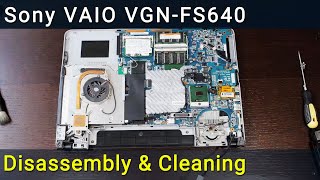 16:15
Sony VAIO VGN-FS640 PCG-7A2L Disassembly, Fan Cleaning, and Thermal Paste Replacement Guide
16:15
Sony VAIO VGN-FS640 PCG-7A2L Disassembly, Fan Cleaning, and Thermal Paste Replacement Guide
-
 9:39
Packard Bell Z5WT3 Laptop Reassembly Guide after Maintenance
9:39
Packard Bell Z5WT3 Laptop Reassembly Guide after Maintenance
-
 1:55
How to Replace Lenovo IdeaPad M5400 Optical Drive OR Add 2nd HDD/SSD with Caddy
1:55
How to Replace Lenovo IdeaPad M5400 Optical Drive OR Add 2nd HDD/SSD with Caddy
-
 11:03
How to reassemble laptop Asus R510
11:03
How to reassemble laptop Asus R510
-
 6:31
MacBook Air 13" A1369 Mid 2011 & Late 2010 Wi-Fi Card Replacement | DIY Repair Guide
6:31
MacBook Air 13" A1369 Mid 2011 & Late 2010 Wi-Fi Card Replacement | DIY Repair Guide