Tech Tip: SOLIDWORKS 2015 Tutorial - Mate to Profile Center
3,699 views · Published 23 September 2014 · 3:36 · Indexed 14 October 2026
Channel: TriMech Tech Tips Channel · 2014 · Science & Technology
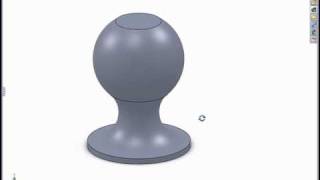
The Profile Center mate locates the centers of two items to each other regardless of their sizes or shape. An offset is provided if that is necessary, and for non-round selections, the orientation can be changed in 90 degree increments. If the size or location of the selection is changed, the Profile Center mate maintains the intelligence to keep them centered.

The Profile Center mate can be used to fully locate round items such as screws. This locks 2 circular profiles to each other and their rotation can be locked as well, resulting in just one mate to fully locate a screw. This is a huge time saver and can help to minimize the number of mates in an assembly.
More from this channel
-
 2:26
PropertyLinksXpress - Try a FREE SolidWorks Add-in for Custom Property Insertion
-
 6:12
Modeling in the SolidWorks Graphics Area
-
 1:16
Creating Relative Views of non-planer Models
-
 1:00
Using Select Sub-assembly with the Isolate Tool
-
 2:07
Using the Selection Tools with an Assembly
-
 1:06
The Flat to the Screen Dimension Display Option
-
 2:31
Using Reload Rather Than Close Without Save
-
 0:52
SolidWorks 2008 Enhanced Component Patterns