DIY eMachines E630 Keyboard Repair – Step-by-Step Replacement Guide
947 views · Published 28 August 2015 · 1:42 · Indexed 21 September 2026
Channel: How-FixIT · 2015 · Science & Technology
From sticky keys to random letters, our eMachines E630 keyboard replacement guide shows every step to restore perfect input.
Buy tools and keyboard on AMAZON:
Screwdriver Set: https://hfixt.com/spro
Tool Kit: https://hfixt.com/pryt
Tweezers: https://hfixt.com/tzrs
Magnetic Mat: https://hfixt.com/mat

Buy tools and keyboard on AliExpress:
Screwdriver set: https://hfixt.com/alis
Tool Kit: https://hfixt.com/alit
Tweezers set: https://hfixt.com/altz
Magnetic Mat: https://hfixt.com/amat
Keyboard: https://s.click.aliexpress.com/e/_o2Dq5Ll

📌*Useful links*
Best Screwdriver Set: https://youtu.be/fdtNem4rDDM
Repair Tools & Safety Tips: https://youtu.be/Sp7PhrKV-vQ
Keyboard Test: https://www.how-fixit.com/kb-test

📱Follow us for more tech tips and guides!
TikTok: https://www.tiktok.com/@howfixit
Instagram: https://www.instagram.com/howfixit/
Facebook: https://www.facebook.com/HowFixit/
X: https://x.com/howfixit

*DESCRIPTION*
Learn how to replace the worn-out or not working keyboard in less than 15 minutes. This step-by-step HowFixit tutorial walks you through opening the case, isolating the battery, and swapping the entire keyboard assembly in under 15 minutes. Ideal for eMachines E630 lines.
🛠️ What You’ll Learn
✔ Fast screw removal sequence that keeps screws organized
✔ Safe pry-points that spare plastic clips from cracking
✔ How to unlock ZIF cable latches without tearing flex lines
✔ Correct orientation for the new keyboard & backlight sheet
✔ Post-install testing with our free online checker
♻️ Doing the repair yourself slashes e-waste and puts repair skills in your toolkit. Follow along in pause-friendly chapters, then share your success story in the comments. Don’t forget to like, subscribe, and browse our playlist of laptop fixes—screens, batteries, fans, and more. Your keyboard is just the beginning of a greener tech routine!

❓ *Frequently Asked Questions:*
Question: Can I use any similar keyboard for eMachines E630 laptop?
Answer: No, you must use only a compatible keyboard. Choose the keyboard according to the laptop part number, or check the link I provided for a compatible keyboard with this laptop.

Question: What if my new keyboard still doesn't work?
Answer: Ensure all cables are securely connected. Test using the online keyboard checker linked below the video description.

Question: Do I need professional skills to perform this repair?
Answer: No, this guide is beginner-friendly and easy to follow.

Question: Will replacing the keyboard void my laptop’s warranty?
Answer: If your laptop is still under manufacturer warranty, opening the chassis and replacing internal parts can void that coverage. Check your warranty terms first before proceeding.

Question: How do I choose the correct keyboard layout (e.g., US, UK, ISO)?
Answer: Match the part number printed on the underside of your original keyboard or select the same language/layout in the replacement listing (US QWERTY, UK ISO, etc.) to ensure key size and legends are identical.

Question: How long does the entire replacement process take for a beginner?
Answer: Allow 30–40 minutes on a first attempt, including screw organization and careful cable handling. With practice you can cut that to 15 minutes.

AFFILIATE PROGRAM
We are a participant in the Amazon Services LLC Associates Program, an affiliate advertising program designed to provide a means for us to earn fees by linking to Amazon and affiliated sites.

#howfixit #laptoprepair #diy #techguide
More from this channel
-
 14:17
Acer Aspire E1-531, E1-571, E1-521 Laptop Reassembly Guide
14:17
Acer Aspire E1-531, E1-571, E1-521 Laptop Reassembly Guide
-
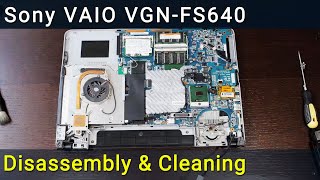 16:15
Sony VAIO VGN-FS640 PCG-7A2L Disassembly, Fan Cleaning, and Thermal Paste Replacement Guide
16:15
Sony VAIO VGN-FS640 PCG-7A2L Disassembly, Fan Cleaning, and Thermal Paste Replacement Guide
-
 9:39
Packard Bell Z5WT3 Laptop Reassembly Guide after Maintenance
9:39
Packard Bell Z5WT3 Laptop Reassembly Guide after Maintenance
-
 14:41
MacBook Pro A1226 Hard Drive Replacement – Fast & Easy SSD Upgrade
14:41
MacBook Pro A1226 Hard Drive Replacement – Fast & Easy SSD Upgrade
-
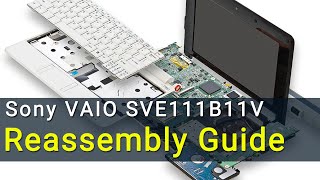 6:36
Sony VAIO SVE111B11V Laptop Reassembly Guide
6:36
Sony VAIO SVE111B11V Laptop Reassembly Guide
-
 5:39
Asus X554 Laptop Reassembly Guide
5:39
Asus X554 Laptop Reassembly Guide
-
 1:55
How to Replace Lenovo IdeaPad M5400 Optical Drive OR Add 2nd HDD/SSD with Caddy
1:55
How to Replace Lenovo IdeaPad M5400 Optical Drive OR Add 2nd HDD/SSD with Caddy
-
 11:03
How to reassemble laptop Asus R510
11:03
How to reassemble laptop Asus R510