F1 2012 Demo - How to play as a McLaren at Monza
997 views · Published 17 September 2012 · 8:06 · Indexed 7 October 2026
Channel: Alex Gillon · 2012 · Gaming
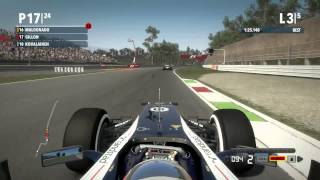
In this video I will tell you how to play as a McLaren in the F1 2012 Demo on the Season Challenge. Below is a text based guide:

1. Go to C:\Program Files (x86)\Steam\steamapps\common\f1 2012 demo.
2. Backup the 'cars' folder.
3. Go into the original 'cars' folder and delete the folder 'wi2'.
4. Copy the 'mc2' folder and rename it 'wi2'.
5. You will now need to rename most of the files inside the new 'wi2' folder.
6. Wherever you see 'mc2', replace it with 'wi2'.
7. You will also need to go inside each of the folders inside the 'wi2' folder and do the same.
8. Play the game and race as McLaren!

I accept no responsibility for anything that goes wrong. However, as long as you backup the folder, you should be ok.
More from this channel
-
 10:28
F1 2012 Demo Gameplay (PC) Young Drivers' Test Dry Laps **HD**
10:28
F1 2012 Demo Gameplay (PC) Young Drivers' Test Dry Laps **HD**
-
 11:21
F1 2012 Demo Gameplay (PC) Season Challenge Race 3 **HD**
11:21
F1 2012 Demo Gameplay (PC) Season Challenge Race 3 **HD**
-
 1:44
F1 2012 Demo Gameplay - McLaren Hot Lap - Monza
1:44
F1 2012 Demo Gameplay - McLaren Hot Lap - Monza
-
 7:49
F1 2012 Gameplay - Young Drivers' Test Day 2
7:49
F1 2012 Gameplay - Young Drivers' Test Day 2
-
 12:36
F1 2012 Gameplay - Season Challenge - Race 2
12:36
F1 2012 Gameplay - Season Challenge - Race 2
-
 1:41
F1 2012 Gameplay - Hot Lap - Hungary
1:41
F1 2012 Gameplay - Hot Lap - Hungary
-
 0:08
Alex Gillon - New Intro
0:08
Alex Gillon - New Intro
-
 2:08
F1 2012 Gameplay - Track Guide - Buddh, India - Commentated
2:08
F1 2012 Gameplay - Track Guide - Buddh, India - Commentated